As an Amazon Associate, I earn from qualifying purchases.
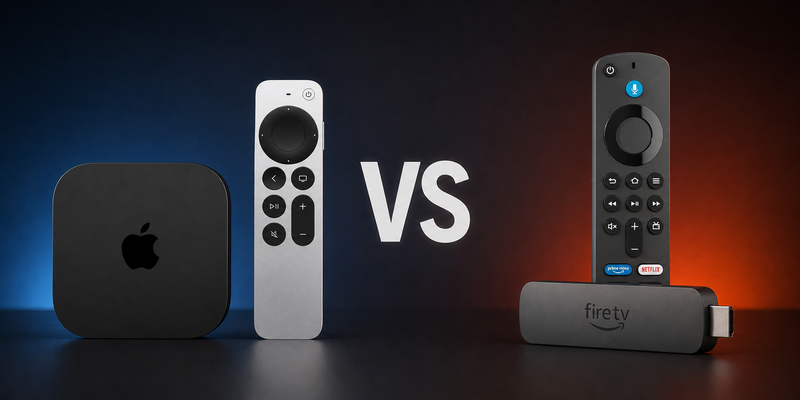
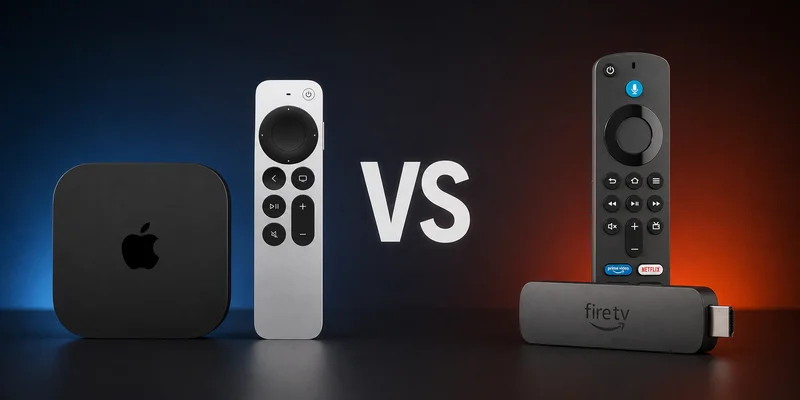
Apple TV vs Fire TV comes down to premium Apple integration and Amazon’s broader, lower-cost streaming-device lineup.
Choosing Between Two Streaming Ecosystems
 This is a research-only comparison, not a claim that I personally tested every current streamer. I checked manufacturer specifications, authenticated product listings, and URR’s central Lasso records before making the calls below.
Apple TV vs Fire TV is ultimately a platform decision. Apple concentrates its experience in two closely related boxes, while Fire TV spans budget sticks, premium sticks, and a hands-free Cube.
The decision matters because streaming is fragmented. Deloitte’s latest Digital Media Trends reports market behavior across multiple paid services, so interface and discovery friction add up quickly.
Key Takeaways
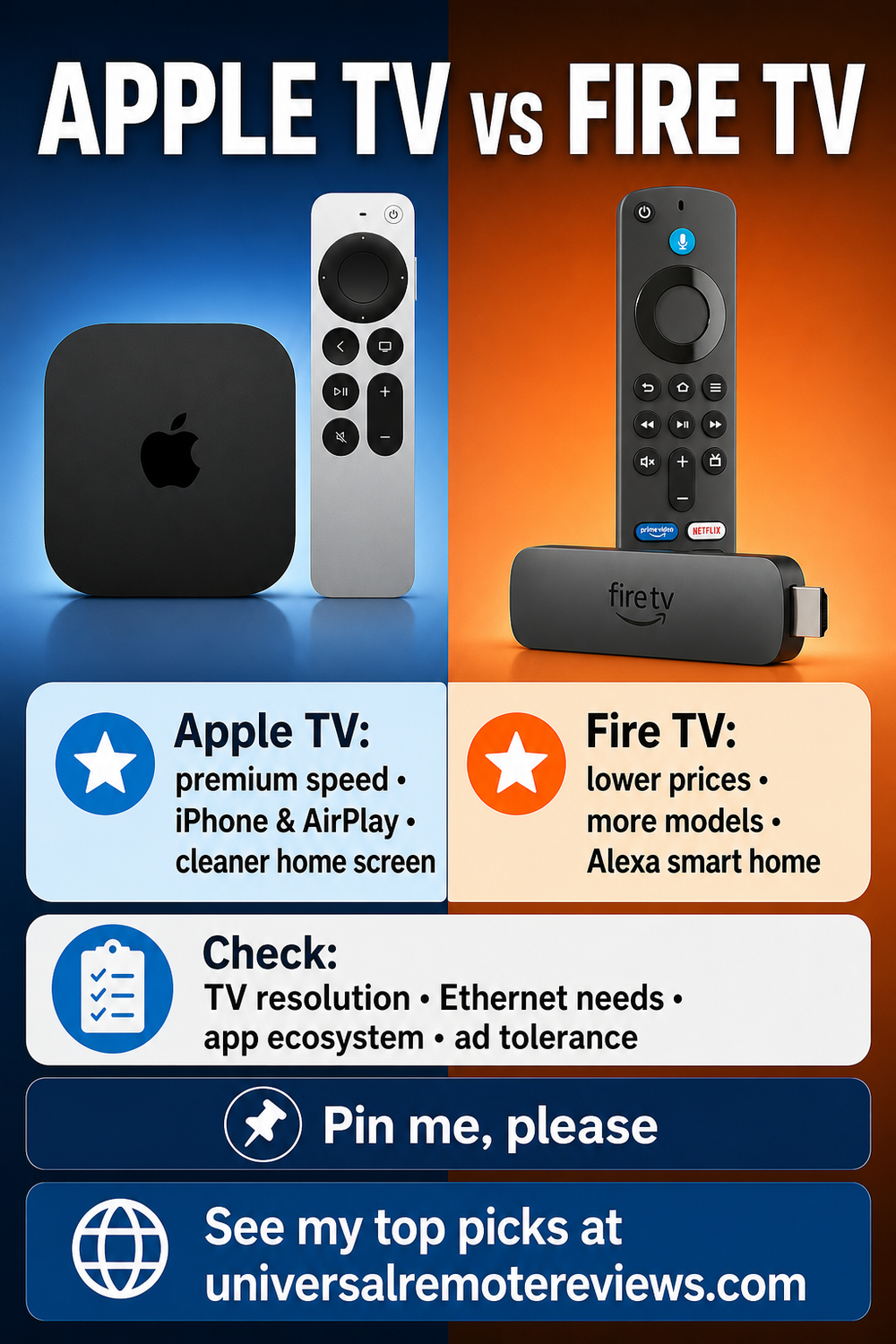
- Apple TV 4K is the premium pick for iPhone, AirPlay, Apple services, cleaner navigation, and home-hub duties.
- Fire TV is the flexible value platform because HD, Select, Plus, Max, and Cube models cover more budgets and room types.
- Choose the ecosystem first, then the model: apps, ads, networking, smart-home gear, and remote preferences matter more than a temporary sale.
Apple TV vs Fire TV Comparison Table
The following table compares Apple TV vs Fire TV as platforms first, while showing where their current model strategies differ.
| Best Premium Platform | Best Mainstream Value | Best Hands-Free Control | |
|---|---|---|---|
| Product Image |

|

|

|
| Model | Apple TV 4K 128GB | Amazon Fire TV Stick 4K Plus | Amazon Fire TV Cube (3rd Gen) |
| Rank | 1 | 2 | 3 |
| Best Fit | Best fit: Choose Apple TV 4K for the fastest, cleanest Apple-integrated streaming experience. | Best fit: Choose Fire TV Stick 4K Plus for compact mainstream 4K value with Alexa. | Best fit: Choose Fire TV Cube for hands-free Alexa and premium main-room control. |
| Dolby Vision Pick | |||
| Current Models | 64GB Wi-Fi; 128GB Ethernet plus Thread | HD, 4K Select, 4K Plus, 4K Max | 3rd-generation premium Fire TV box |
| Built-In Ethernet Pick | |||
| Platform + Apps | tvOS with App Store and Apple services | Fire OS or Vega OS with Amazon apps | Fire OS with Alexa and Amazon apps |
| Thread Border Router | |||
| Discovery + Assistant | Siri search and Apple TV app recommendations | Alexa search and Fire TV recommendations | Hands-free Alexa search and Fire TV recommendations |
| Native Hands-Free Voice | |||
| Smart Home | Apple Home hub; Thread on 128GB model | Alexa control through the included voice remote | Far-field Alexa, HDMI input, and IR control |
| Interface + Ads | Cleaner app grid; recommendations inside TV app | Sponsored rotator, tiles, rows, and screensavers | Sponsored rotator, tiles, rows, and screensavers |
| Performance + Storage | A15 Bionic with 64GB or 128GB | 8GB storage; Max steps up to 16GB | Octa-core processor with 16GB storage |
| HDR + Audio | Dolby Vision, HDR10+, Dolby Atmos | Model-dependent; Plus adds Vision and Atmos | Dolby Vision, HDR10+, Dolby Atmos |
| Gaming + Value | Apple Arcade; premium hardware value | Select models support Xbox cloud gaming | Premium Fire TV speed in a larger box |
| Where to buy |
#1 – Apple TV 4K 128GB: Best Premium Platform
Best Fit Choose Apple TV 4K for the fastest, cleanest Apple-integrated streaming experience.
Key Specifications
Apple TV 4K 128GB is the premium Apple TV vs Fire TV platform pick, and Apple keeps the hardware decision unusually simple. The 64GB model uses Wi-Fi only. The 128GB model adds Gigabit Ethernet, Thread border-router support, and twice the storage, which is why it is the configuration I would choose for a main room.
Both versions use the A15 Bionic chip, HDMI 2.1, Wi-Fi 6, Bluetooth 5.0, Dolby Vision, HDR10+, Dolby Atmos, and Apple’s USB-C Siri Remote. The interface feels fast and consistent, and the app grid can stay much cleaner than Fire TV’s promotion-heavy home screen.
Pros
- A15 Bionic keeps navigation fast and responsive
- Cleaner app-grid option reduces home-screen clutter
- AirPlay integrates naturally with iPhone and iPad
- 128GB model includes Gigabit Ethernet and Thread
- Dolby Vision, HDR10+, and Atmos cover premium formats
Cons
- Costs more than Fire TV sticks
- HDMI cable is sold separately
- Only two closely related hardware configurations
A15-powered Apple TV 4K with 128 GB, Ethernet, and Thread.
#2 – Amazon Fire TV Stick 4K Plus: Best Mainstream Value
Best Fit Choose Fire TV Stick 4K Plus for compact mainstream 4K value with Alexa.
Key Specifications
Amazon Fire TV Stick 4K Plus is the mainstream Fire TV choice in this comparison. It keeps a compact stick design while adding Wi-Fi 6, Dolby Vision, HDR10+, Dolby Atmos, and the Alexa Voice Remote.
Fire TV Stick HD is the 1080p entry model, and Fire TV Stick 4K Select is the low-cost 4K option on Vega OS. Move up to Fire TV Stick 4K Max for Wi-Fi 6E and 16GB of storage; choose the separate Fire TV Cube pick below for built-in Ethernet, HDMI input, IR control, and hands-free Alexa.
Pros
- Compact stick design fits behind most televisions
- Wi-Fi 6 supports mainstream 4K streaming
- Dolby Vision, HDR10+, and Atmos support
- Alexa Voice Remote works with Amazon households
- Costs less than premium streaming boxes
Cons
- Home screen carries prominent sponsored placements
- Only 8GB of storage on the Plus model
- Wired Ethernet networking requires buying a separate adapter
Mainstream Fire TV stick brings Dolby Vision, Atmos, and Wi-Fi 6.
#3 – Amazon Fire TV Cube (3rd Gen): Best Hands-Free Control
Best Fit Choose Fire TV Cube for hands-free Alexa and premium main-room control.
Key Specifications
Amazon Fire TV Cube (3rd Gen) is the premium Fire TV option for a main room. It combines an octa-core processor, 16GB of storage, Wi-Fi 6E, Ethernet, Dolby Vision, HDR10+, and Dolby Atmos in a larger fabric-sided box.
The reason to choose Cube over a stick is control. Built-in far-field microphones support hands-free Alexa, while HDMI input and IR control help manage compatible cable boxes, soundbars, receivers, and televisions.
Pros
- Amazon’s fastest current Fire TV streamer
- Hands-free Alexa with far-field microphones
- HDMI input and IR control compatible equipment
- Wi-Fi 6E plus built-in Ethernet
- 16GB storage doubles the Plus model
Cons
- Costs more than Fire TV sticks
- Larger box needs visible shelf space
- Home screen carries sponsored placements
Hands-free 4K Fire TV box with Wi-Fi 6E and Ethernet.
How to Choose Apple TV vs Fire TV
Choose the platform that matches the household first, then select the model that fits the television, network, and smart-home role.
What I Look For When I Buy
For Apple TV vs Fire TV, I would settle these five decisions before letting a temporary discount choose the platform.
- ✓Apple 64GB or 128GB. Choose 64GB for Wi-Fi-only streaming; choose 128GB for Gigabit Ethernet, Thread, more storage, and a stronger main-room setup.
- ✓Fire HD or 4K Select. Use HD only for 1080p televisions; use Select for budget 4K after verifying every required Vega OS app.
- ✓Fire 4K Plus or Max. Choose Plus for mainstream Wi-Fi 6, Dolby Vision, and Atmos; choose Max for Wi-Fi 6E and 16GB storage.
- ✓When Cube Makes Sense. Pay for Cube when hands-free Alexa, HDMI input, IR control, premium speed, and built-in Ethernet matter.
- ✓Ads, Apps, and Ecosystem. Choose Apple for cleaner navigation and AirPlay; choose Fire TV for Alexa alignment and more hardware tiers.
What to Check Before You Buy
- ✕Skip both platforms if the television’s built-in apps are fast, current, and complete.
- ✕Avoid Apple TV 4K if the room only needs the lowest-cost basic streamer.
- ✕Avoid Fire TV if sponsored interface placements are a deal-breaker.
FAQs
These five questions cover the platform and model details most likely to change the decision.
1. What is the biggest Apple TV vs Fire TV difference?
Apple sells a premium, tightly integrated tvOS box in two configurations, while Amazon offers a wider hardware ladder from HD sticks through Fire TV Cube. Apple emphasizes speed, AirPlay, Apple services, and a cleaner interface. Fire TV emphasizes lower entry tiers, Alexa, more form factors, and prominent sponsored discovery across its home screen.
2. Which current Apple TV 4K model should I buy?
In Apple TV vs Fire TV, the 128GB Apple model is the stronger long-term choice when Ethernet, Thread border-router support, or extra storage matters. The 64GB version uses Wi-Fi only and omits Thread. Both use the A15 Bionic chip, Siri Remote with USB-C, Dolby Vision, HDR10+, and Dolby Atmos for compatible televisions and sound systems.
3. In Apple TV vs Fire TV, which Fire TV model is best for most buyers?
Fire TV Stick 4K Plus is the mainstream choice because it combines Wi-Fi 6, Dolby Vision, HDR10+, Dolby Atmos, and Fire OS 8. Choose Max for Wi-Fi 6E and 16GB, Select for budget 4K after checking Vega OS app support, HD for 1080p televisions, or Cube for hands-free Alexa and HDMI input.
4. Which platform has fewer ads and promotions?
Apple TV vs Fire TV favors Apple for a less promotion-heavy home screen. Amazon documents Fire TV placements including feature rotators, sponsored tiles, rows, banners, and screensavers. Apple still recommends shows and services inside the Apple TV app, but tvOS gives buyers a cleaner app-grid option and fewer advertising surfaces across core navigation overall.
5. How does Apple TV vs Fire TV handle smart-home control?
Both platforms can control smart-home devices, but they approach the job differently. Apple TV 4K can serve as an Apple Home hub, and the 128GB Ethernet model includes Thread border-router support. Fire TV integrates with Alexa devices, while Fire TV Cube adds built-in far-field microphones and IR control. Match the streamer to the system you already use.
Apple TV vs Fire TV Verdict
 Apple TV vs Fire TV is an ecosystem decision first and a model decision second.
- Choose Apple TV 4K if you want premium speed, cleaner navigation, AirPlay, Apple services, and Home integration.
- Choose Fire TV Stick 4K Plus or Max if you want mainstream Fire TV value, with Max adding Wi-Fi 6E and 16GB storage.
- Choose Fire TV Cube if hands-free Alexa, HDMI input, IR control, and premium Fire TV performance justify the larger box.
For more options, see my guide to the best streaming devices.

Please subscribe for a fun take on tech—tips, unboxings, reviews & more!