As an Amazon Associate, I earn from qualifying purchases.
These are my picks for the best streaming devices you can buy this year, all of which I own and tested myself.
A Better Stream Starts Here
 I am a bit of a streaming addict. As the owner of UniversalRemoteReviews, I own and have tested every device here.
Fire TV suits me best: the Cube and 4K Max are fast and work naturally with Alexa. Apple TV is my second favorite, mainly due to Apple’s epic sci-fi content, and Roku follows as a close third.
The best streaming devices come down to speed, picture and sound quality, app support, and how well they work with the tech you already own.
StatCounter’s streaming-platform data shows how competitive these ecosystems have become. Below, I’ll help you choose the right one without overspending.
Key Takeaways
- Pick the platform first because app layout, voice control, and account integration shape everyday use.
- Buy the ports you need because Ethernet, HDMI input, and USB support can matter more than headline speed.
- Match the display chain because Dolby Vision and premium audio only help when the television and sound system support them.
Best Streaming Devices Comparison Table
This comparison table covers five broad recommendations; the full reviews below add two specialized media players: Google TV Streamer and NVIDIA Shield TV Pro.
| Best Overall | Best Ecosystem Fit | Best Simple Premium | Best Premium Stick | Best Value | |
|---|---|---|---|---|---|
| Product Image |

|

|

|

|

|
| Model | Amazon Fire TV Cube | Apple TV 4K | Roku Ultra | Fire TV Stick 4K Max | Roku Streaming Stick Plus |
| Rank | 1 | 2 | 3 | 4 | 5 |
| Best Fit | Best fit: Choose this for fast Fire TV performance, hands-free Alexa, and unusually useful ports. | Best fit: Choose this for a polished Apple ecosystem, abundant storage, Ethernet, and Thread support. | Best fit: Choose this for Roku’s simple interface, Ethernet, USB playback, and a strong rechargeable remote. | Best fit: Choose this for Wi-Fi 6E, 16 GB storage, and premium HDR in a compact stick. | Best fit: Choose this for simple 4K Roku streaming, HDR10+, and a compact USB-powered design. |
| Dolby Vision | |||||
| Platform | Fire TV | tvOS | Roku OS | Fire TV | Roku OS |
| Ethernet | |||||
| Resolution | 4K at 60 fps | 4K at 60 fps | 4K HDR | 4K at 60 fps | 4K HDR10+ |
| Networking | Wi-Fi 6E and Ethernet | Wi-Fi 6 and Ethernet | Wi-Fi 6 and Ethernet | Wi-Fi 6E | Dual-band Wi-Fi |
| Storage | 16 GB | 128 GB | Not published | 16 GB | Not published |
| Voice | Hands-free Alexa | Siri Remote | Voice Remote Pro | Alexa Voice Remote | Roku Voice Remote |
| Where to buy |
#1 – Amazon Fire TV Cube: Best Overall
Best Fit Choose this for fast Fire TV performance, hands-free Alexa, and unusually useful ports.
At a Glance
- Best For: Fast Fire TV and Alexa control
- Video: 4K, Dolby Vision, HDR10+
- Network: Wi-Fi 6E and Ethernet
- Storage: 16 GB
- Extra: HDMI input
Amazon Fire TV Cube is my top pick among the best streaming devices because its hardware solves more problems than the average streamer. As a 4K model, it delivers lightning-fast navigation, high dynamic range video, Wi-Fi 6E, an Ethernet port, and hands-free voice control through Alexa voice commands.
I have owned the Fire TV Cube for years and it is still my favorite device in the house. It just works. I use it to turn the TV on and off, change inputs, pull up YouTube, including my own channel, and jump straight into Prime Video, Disney+, or whatever else I am watching. Ask it to resume a series and it already knows the next episode. Voice holds up better here than on my other Alexa devices. The HDMI input also lets a cable box or Blu-ray player pass through the Cube. The tradeoff is a home screen that pushes Prime Video hard, so if you want something quieter, look at Apple TV or Roku.
Pros
- Fast octa-core processor keeps navigation responsive
- Wi-Fi 6E plus wired Ethernet
- Included voice remote and hands-free Alexa controls compatible equipment
- HDMI input accepts another source
- Dolby Vision and Dolby Atmos support
Cons
- Costs more than a streaming stick
- Interface promotes Amazon content heavily
- Cube shape needs visible shelf space
Hands-free 4K Fire TV box with Wi-Fi 6E and Ethernet.
#2 – Apple TV 4K: Best Ecosystem Fit
Best Fit Choose this for a polished Apple ecosystem, abundant storage, Ethernet, and Thread support.
At a Glance
- Best For: Apple households
- Processor: A15 Bionic
- Network: Wi-Fi 6 and Gigabit Ethernet
- Storage: 128 GB
- Smart Home: Thread border router
Apple TV 4K is a good choice among the best streaming devices for an Apple-heavy household. The A15 Bionic chip gives the tvOS operating system lightning-fast navigation, while AirPlay connects Apple devices and other mobile devices; iCloud Photos, AirPods, Apple Music, and HomeKit controls work together. It also supports Dolby Vision HDR across major streaming services.
I run the 128 GB model with Gigabit Ethernet and Thread, and it is the box I pick when I want everything to simply look right. My iPhone, AirPods, Apple Music, and HomeKit gear all fall into place without me thinking about it, and AirPlay from my phone is instant. Apple TV+ gets plenty of use here as well. The older model can be the better deal, but that Amazon listing uses offer-level purchase controls rather than a standard featured offer, so confirm the seller, condition, and return terms before buying.
Pros
- Fast tvOS interface stays responsive
- Deep Apple ecosystem integration works smoothly
- Large 128 GB storage for most-used apps
- Built-in Gigabit Ethernet connection
- Thread border router supports smart homes
Cons
- Premium price for streaming alone
- Siri voice search is less flexible than Alexa for some tasks
- Amazon offer requires seller review
A15-powered Apple TV 4K with 128 GB, Ethernet, and Thread.
#3 – Roku Ultra: Best Simple Premium
Best Fit Choose this for Roku’s simple interface, Ethernet, USB playback, and a strong rechargeable remote.
At a Glance
- Best For: Premium Roku simplicity
- Video: 4K, Dolby Vision, HDR10+
- Network: Wi-Fi 6 and Ethernet
- Ports: HDMI, Ethernet, USB
- Remote: Rechargeable Voice Remote Pro
Roku Ultra is the premium choice among Roku devices, with the ease of use buyers expect from a straightforward app grid. I still use a Roku Streambar, so I know Roku’s quick navigation and uncomplicated remote control personally.
I keep my Roku Ultra in rotation because it is the one player anyone can pick up and use without asking me for help. It covers the current standards: Wi-Fi 6, Ethernet, USB playback, Dolby Vision, HDR10+, and Dolby Atmos, plus a rechargeable Voice Remote Pro with hands-free voice, backlit buttons, and a remote finder I have needed more than once. Private listening through the Roku app still beats every workaround I have tried on other platforms. What it will not do is the deep customization Shield TV Pro offers.
Pros
- Straightforward Roku OS app grid
- Wi-Fi 6 plus wired Ethernet
- USB port supports local playback
- Dolby Vision and Dolby Atmos
- Rechargeable Voice Remote Pro included
Cons
- Less flexible than Android TV
- Limited power-user customization options
- Premium price within Roku’s lineup
Premium Roku player with Wi-Fi 6, Ethernet, USB, and Dolby Vision.
#4 – Fire TV Stick 4K Max: Best Premium Stick
Best Fit Choose this for Wi-Fi 6E, 16 GB storage, and premium HDR in a compact stick.
At a Glance
- Best For: Compact premium Fire TV
- Video: 4K, Dolby Vision, HDR10+
- Network: Wi-Fi 6E
- Storage: 16 GB
- Remote: Alexa Voice Remote Enhanced
Amazon Fire TV Stick 4K Max is one of the best streaming devices when the Cube’s ports and hands-free voice control are unnecessary. Among Amazon’s Fire TV Stick models, this Wi-Fi 6E streaming player adds 16 GB storage, Dolby Vision, HDR10+, and Dolby Atmos.
I have moved almost entirely to the Cube, but I tested the 4K Max for this guide and on camera for my YouTube channel, and it holds up. Wi-Fi 6E, 16 GB of storage, Dolby Vision, HDR10+, and Dolby Atmos cover nearly everything the Cube does, and Amazon’s Ambient Experience turns an idle screen into artwork and widgets. What you give up against the Cube is the Ethernet port, the HDMI input, and hands-free voice, while next to Fire TV Stick Lite and the cheaper Fire sticks you are paying for Wi-Fi 6E and the faster processor. The interface still favors Amazon discovery over a neutral app grid. On a second screen that is a fair trade.
Pros
- Compact behind-the-TV design stays hidden
- Fast Wi-Fi 6E wireless networking
- Generous 16 GB app storage
- Dolby Vision HDR video and HDR10+ playback
- Useful Alexa Voice Remote Enhanced
Cons
- No built-in Ethernet port
- Amazon promotions remain prominent onscreen
- Needs external power despite stick design
Compact 4K Fire TV stick with Wi-Fi 6E and 16 GB.
#5 – Roku Streaming Stick Plus: Best Value
Best Fit Choose this for simple 4K Roku streaming, HDR10+, and a compact USB-powered design.
At a Glance
- Best For: Affordable Roku 4K
- Video: 4K and HDR10+
- Network: Dual-band Wi-Fi
- Power: Compatible TV USB port
- Remote: Voice remote with TV controls
Roku Streaming Stick Plus is the Roku stick value pick among the best streaming devices. Its remote supports voice, television power, volume control, and dedicated buttons for favorite streaming apps.
Powering it from the back of your TV through a compatible USB port is the best way to simplify installation, although you should confirm the output on your current TV. For an older TV, especially an older smart TV, check power requirements; a new TV is less likely to be an issue. The savings still come with limits: no Dolby Vision, no built-in Ethernet, and none of Roku Ultra’s rechargeable, backlit, finder-equipped remote features. Its biggest advantage is friction-free placement: power, HDMI, and a Wi-Fi connection are essentially the whole setup.
Pros
- Affordable current Roku 4K model
- Compact behind-the-TV fit stays hidden
- Supports 4K with HDR10+ playback
- Voice remote controls television functions
- Uses compatible television USB power
Cons
- No Dolby Vision playback support
- No built-in Ethernet port
- Remote lacks Ultra’s premium features
Compact Roku 4K streamer with HDR10+, voice control, and TV power.
#6 – Google TV Streamer: Best Smart Home Hub
Best Fit Choose this for Google TV, 32 GB storage, Ethernet, Matter, and Thread integration.

At a Glance
- Best For: Google TV and smart homes
- Video: 4K, Dolby Vision, HDR10+
- Network: Wi-Fi 5 and Gigabit Ethernet
- Storage: 32 GB
- Smart Home: Matter and Thread border router
Google TV Streamer makes the most sense when entertainment and Google Home belong on the same TV screen. Its interface aggregates TV shows from YouTube TV and other major streaming services, while Google Assistant voice search and the home panel add smart home integration for cameras, lights, thermostats, and other Matter-connected devices.
Among the best streaming devices, this Ethernet streaming box includes 32 GB storage, Dolby Vision, HDR10+, and a Thread border router. The odd compromise is Wi-Fi 5 rather than Wi-Fi 6, so its wired internet connection is especially useful near a network jack. That combination makes it the strongest choice here for someone who wants one box to handle streaming and visible smart-home controls.
Pros
- Google TV recommendations span the latest streaming platforms
- Large 32 GB app storage
- Built-in Gigabit Ethernet connection
- Matter controls compatible smart-home devices
- Thread border router supports accessories
Cons
- Wi-Fi 5 is behind newer rivals
- Recommendation screen can feel busy
- Tabletop box is less hidden than a stick
Google TV box with 32 GB, Ethernet, Matter, and Thread.
#7 – NVIDIA Shield TV Pro: Best for Plex
Best Fit Choose this for Plex Media Server, USB expansion, Ethernet, and AI-enhanced upscaling.

At a Glance
- Best For: Plex and local media
- Processor: NVIDIA Tegra X1+
- Network: Wi-Fi 5 and Gigabit Ethernet
- Storage: 16 GB plus USB expansion
- Extra: Plex Media Server and AI upscaling
For home theater enthusiasts, NVIDIA Shield TV Pro remains a specialist pick and a capable dedicated streaming device. Plex Media Server support, two USB 3.0 ports, Gigabit Ethernet, broad audio formats and local-file playback, and AI-enhanced 4K upscaling give it capabilities ordinary media streamers do not try to match.
For the best streaming devices shortlist, that power-user focus explains the ranking. The Tegra X1+ platform dates to a previous generation, while the design resembles the previous model; the price is high, and mainstream streaming households will not use most advantages. For a serious Plex library or local media setup, it still has a unique role. It is still the only pick here that can double as both a serious local-media machine and a polished everyday streamer.
Pros
- Built-in Plex Media Server support
- AI-enhanced 4K upscaling improves sources
- Two USB 3.0 expansion ports
- Built-in Gigabit Ethernet connection
- Broad local-media format support
Cons
- Aging hardware platform needs context
- Expensive for basic streaming use
- Only 16 GB internal storage
Android TV streamer with AI upscaling, Ethernet, USB, and Plex.
Best Streaming Devices Video Review
Here is my own hands-on video coverage of the picks above, from my TecTimmy channel.
How to Choose the Best Streaming Devices
The right choice starts with the platform, formats, network connection, and smart-home features your television setup will use every week.
What I Look For When I Buy
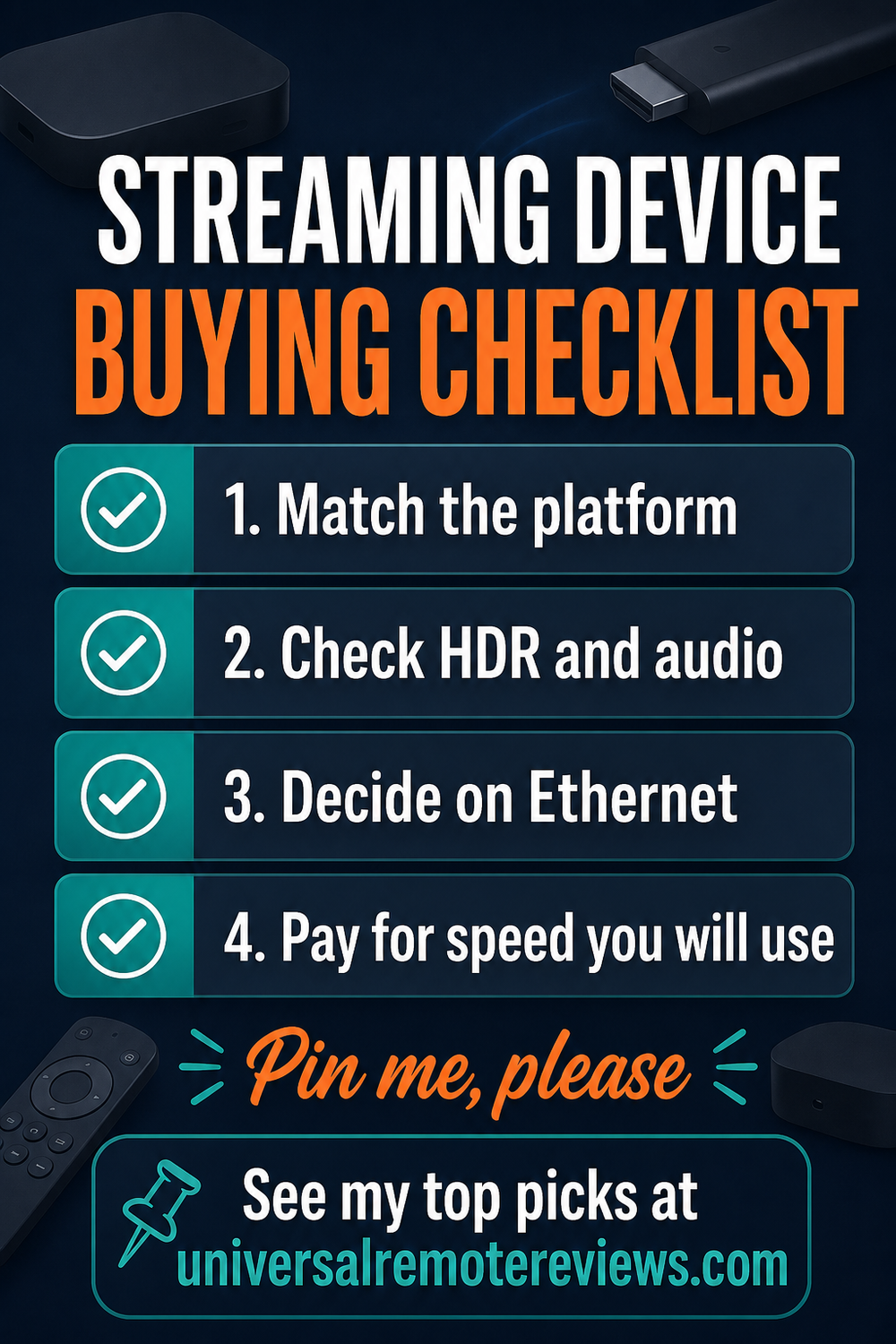
Before buying, I would check these five practical details.
- Start with the platform. Choose Fire TV, tvOS, Roku OS, Google TV, or Android TV by app support for your best streaming services and live TV services.
- Match HDR and audio. Confirm high dynamic range formats, HDR video, audio formats, Dolby Atmos compatibility, and receiver support across the entire display chain.
- Decide whether Ethernet matters. A wired port can make an internet connection more predictable when Wi-Fi is crowded or local media bitrates are high.
- Buy useful storage. More space helps with large app libraries, games, and server duties, but does not improve picture quality by itself.
- Check the remote and smart home. Hands-free voice commands, dedicated buttons, a mobile app, lost-remote features, Matter, Thread, and smart home integration can matter every day.
When You May Not Need Another Device
- ✕Smart TVs with built-in apps remain fast, supported, and compatible with every service you use.
- ✕You cannot connect the player to a compatible HDMI input or reliable network.
- ✕The upgrade adds formats or smart-home features that the rest of the setup cannot use.
FAQs
These are the questions I would answer before replacing a television’s built-in streaming apps.
1. What are the best streaming devices for most people?
Fire TV Cube is the best streaming device here for most people because it combines fast navigation, hands-free Alexa, Wi-Fi 6E, Ethernet, HDMI input, and broad HDR support. Apple TV 4K suits Apple households, while Roku Ultra keeps the interface simpler. Your winner ultimately depends on platform preference, available ports, and your own television’s capabilities.
2. Should I buy a streaming box or stick?
Boxes usually justify their size with faster processors, Ethernet, more storage, extra ports, or smart-home features. Sticks cost less and disappear behind the television. Choose a box for a primary screen or demanding setup; choose a stick when price, portability, and a clean installation matter more to you overall in your daily use every day.
3. Can a streaming device improve picture quality?
The best streaming devices can improve format support, app performance, and upscaling, but they cannot create detail the source or television lacks. Match 4K, Dolby Vision, HDR10+, frame rate, and audio support across the player, television, receiver, and service. NVIDIA’s AI upscaling is distinctive, while other models emphasize HDR playback and speed for most viewers.
4. Is Ethernet important for a streaming player?
Ethernet can make these devices more predictable when Wi-Fi is crowded, the router is distant, or high-bitrate local files are common. Fire TV Cube, Apple TV 4K 128GB, Roku Ultra, Google TV Streamer, and Shield TV Pro include wired networking. Stick buyers generally trade that wired port for smaller size, lower cost, and easier placement.
5. How much should I spend on a streaming device?
The best streaming devices should remove the friction you notice: slow apps, missing formats, unreliable Wi-Fi, limited storage, or smart-home control. A premium box makes sense when those upgrades help daily. A lower-cost stick is the smarter choice for reliable everyday streaming services. BBC iPlayer and Sky Stream users should confirm regional availability before buying.
Best Streaming Devices Verdict
 The good news is that the perfect streaming device is the one whose platform, ports, formats, and performance solve the friction you notice on your primary television.
- Choose Amazon Fire TV Cube if you want the broadest mix of speed, Alexa control, Wi-Fi 6E, Ethernet, and HDMI input.
- Choose Apple TV 4K if you want a polished Apple ecosystem with 128 GB, Ethernet, and Thread.
- Choose Roku Ultra if you want a simple premium interface with wired networking and an excellent rechargeable remote.
After testing all seven, I would start with Fire TV Cube for flexibility, Apple TV 4K for polish, and Roku Ultra for the simplest premium experience.
If television control matters as much as streaming, compare my best remotes for Apple TV. For a direct ecosystem matchup, see Apple TV vs Fire TV.

Please subscribe for a fun take on tech—tips, unboxings, reviews & more!