As an Amazon Associate, I earn from qualifying purchases.
In this SofaBaton U3 review, I break down whether it earns its price, from the air mouse and macros to the TVs, soundbars, and streamers it handles.
The Hub-Free SofaBaton Option
 My SofaBaton X1S has handled my TV, soundbar, and streamers for over a year, and I own the SofaBaton U3 too, its cheaper, hub-free sibling.
The U3 replaces the discontinued U2 with a 2.4-inch LCD, an air mouse, Google voice, and macros. It also skips the hub, so setup starts and ends with the remote and the SofaBaton app.
That streamer-first design fits how people watch TV now. Nielsen’s The Gauge put streaming at 49.6% of all TV viewing in August.
Key Takeaways
- Buy it for Bluetooth streamers: the air mouse and Google voice shine on Google TV boxes.
- Skip it for hidden gear: IR needs line of sight unless you add the R1 Repeater.
- Step up for automation: the X1S adds a hub and Activities; the X2 adds a touchscreen.
SofaBaton U3 Specs at a Glance
The following table sums up this SofaBaton U3 review: what the remote controls, how it connects, and where its limits are.
| Budget LCD Universal | |
|---|---|
| Product Image |

|
| Model | SofaBaton U3 |
| Rank | 1 |
| Best Fit | Best fit: Choose the SofaBaton U3 for a TV, soundbar, and streamers in plain view. |
| Air Mouse | |
| Control | IR, Bluetooth, and RF 433/315 learning |
| No Hub Needed | |
| Screen | 2.4-inch color LCD with scroll wheel |
| Number Keypad | |
| Bluetooth | Three BLE devices at once |
| Touchscreen | |
| Voice | Google Assistant on supported Bluetooth devices |
| Dock in the Box | |
| Automation | One-touch macros, no hub-style Activities |
| Battery | 1200mAh, about three weeks, USB-C |
| Hidden Gear | Line of sight; optional R1 Repeater |
| Check Price |
#1 – U3 Air Mouse Remote: Budget LCD Universal
Best Fit
Choose the SofaBaton U3 for a TV, soundbar, and streamers in plain view.
Key Specifications
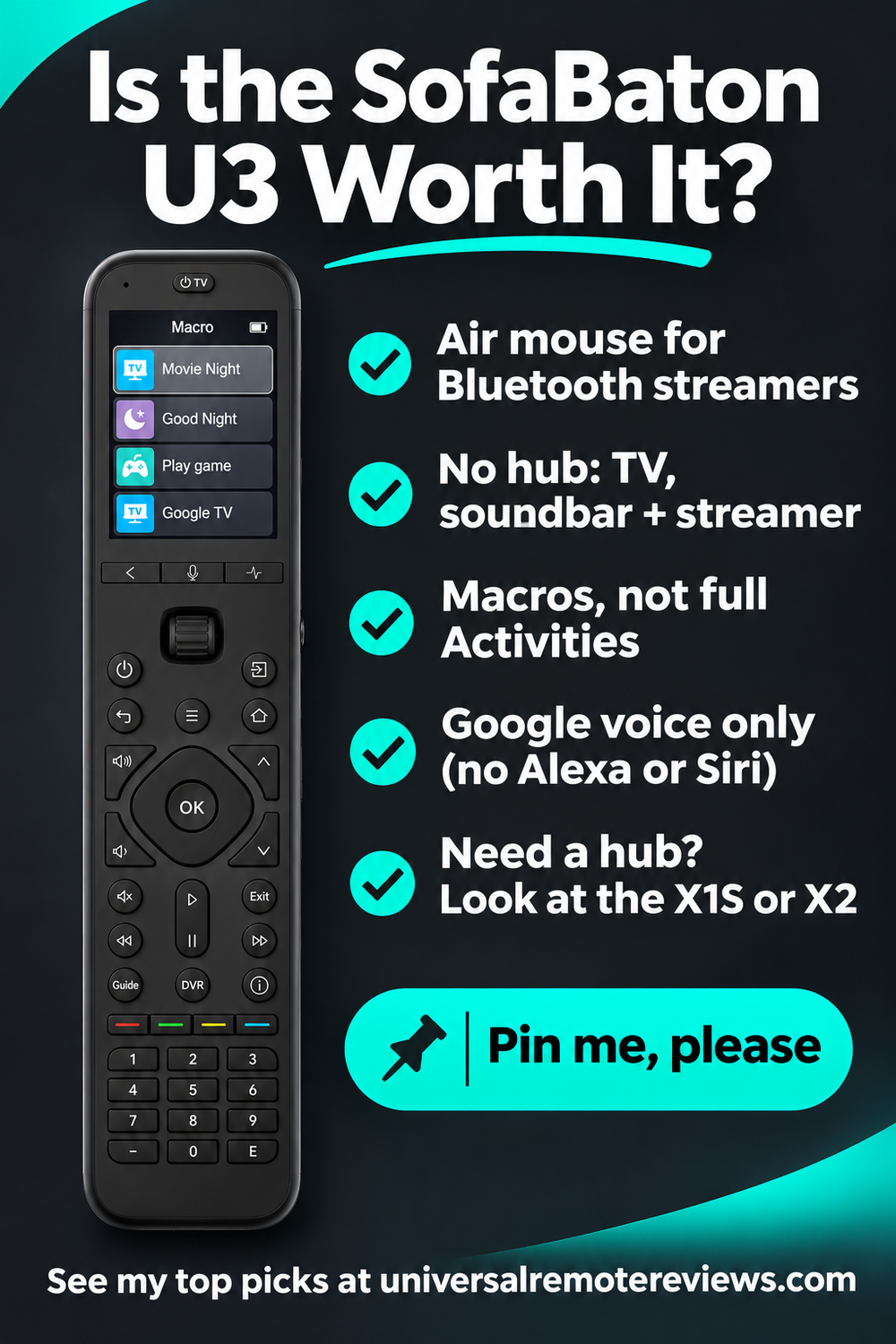
SofaBaton U3 is the budget LCD pick in my best universal remotes guide, built for a TV, soundbar, and a couple of streamers. It mixes IR learning, Bluetooth, and RF learning, and its 2.4-inch LCD and scroll wheel let you pick a device before you press anything.
The air mouse is the headline: on streamers that accept a Bluetooth mouse, you point and the on-screen cursor follows. The tradeoffs are line-of-sight IR, Google-only voice, and macros instead of the hub Activities in my SofaBaton X1S review.
Pros
- Air mouse moves a cursor on Bluetooth streamers
- No hub to place, power, or set up
- Holds three BLE Bluetooth devices at the same time
- Learns commands from RF 433 and 315 MHz remotes
- Rechargeable 1200mAh battery lasts about three weeks
Cons
- IR needs line of sight without the R1 Repeater
- Google voice skips Apple TV Siri and Fire TV Alexa
- Macros only, with no hub-style one-touch Activities
Rechargeable LCD universal remote, no hub required.
How to Choose a Universal Remote Like the U3
Most universal remotes promise to tame your home entertainment gear, so start with what you press every day and decide how much automation you need.
What I Look For When I Buy
These are the checks behind my SofaBaton U3 review, and the ones I would make before you buy any universal remote.
- ✓Count Your Devices. SofaBaton aims the U3 at three to five devices you use daily, like a TV, soundbar, streaming box, and set-top box.
- ✓Check Line of Sight. IR commands need a clear path; gear behind cabinet doors needs the R1 Repeater, an IR repeater sold separately.
- ✓Check Your Streamers. The air mouse needs a device that accepts a Bluetooth mouse, and voice search needs native Google Assistant support.
- ✓Decide If Macros Are Enough. Macros chain commands into a single button press, but the hub-based X1S and X2 run full one-touch Activities.
- ✓Plan for Charging. The rechargeable battery charges over USB-C; the charging dock is sold separately or in a combo kit.
What to Check Before You Buy
- ✕Skip it if your AV receivers or media players hide inside a closed cabinet.
- ✕Skip it if you rely on Siri or Alexa voice from your remote.
- ✕Skip it if you want Home Assistant or IP control from one remote.
FAQs
These five questions cover the setup, compatibility, and lineup details most likely to decide whether you buy the U3.
1. Does the SofaBaton U3 need a hub?
No, and that is the first thing to know from this SofaBaton U3 review. The remote talks to your gear directly over IR, Bluetooth, and RF, and you set everything up in the SofaBaton app. The catch is IR range: it needs line of sight to your TV, soundbar, or set-top box, or the optional R1 Repeater.
2. What does this SofaBaton U3 review say about Apple TV, Fire TV, and Google TV?
For basic control, they all work. SofaBaton lists Apple TV, Fire TV, Google TV, and Xbox among supported devices, the remote pairs over Bluetooth, and its code database covers 6,000+ brands. Voice is narrower: the Google Assistant button only works on devices with native Google Assistant support, so it won't trigger Siri or Alexa.
3. What is the SofaBaton U3 battery life?
SofaBaton rates the 1200mAh rechargeable battery for about three weeks per charge, depending on use, and that rating is the figure I use in this SofaBaton U3 review. It charges over USB-C in about three hours, with a cable in the box. The charging dock is sold separately or in a combo kit, so check which version you order.
4. Where does this SofaBaton U3 review land on replacing a Logitech Harmony?
For simple setups, it mostly works. Macros let one press power on your TV, wake a streaming box, and switch inputs, which covers the basic movie-night routine. There are no hub-based Activities, though, so a bigger home theater with AV receivers, projectors, and hidden media players fits the X1S or X2 better.
5. Should I buy the SofaBaton U3, X1S, or X2?
Start with how much gear you run. The U3 fits three to five visible devices and costs the least. The X1S adds a hub and one-touch Activities for a home theater, and the X2 adds a touchscreen, IP control, and Home Assistant. The bottom line of this SofaBaton U3 review: buy the cheapest one that covers your gear.
My Verdict: Is the SofaBaton U3 Worth It?
 My SofaBaton U3 review comes down to this: it is worth it if your gear sits in plain view and your streamers can use its air mouse; if you need a hub, Activities, or smart home control, spend more.
- Budget LCD Universal: Choose the SofaBaton U3 if you want fewer original remotes on the coffee table for a TV, soundbar, and Bluetooth streaming devices in plain view.
- Home Theater Hub: Choose the SofaBaton X1S if you run a home theater with multiple devices, hidden gear, and one-touch Activities that switch inputs for you.
- Smart Home Flagship: Choose the SofaBaton X2 if you want a touchscreen, RF devices, IP control, and Home Assistant on top of the hub.
If you want to see how the hub models stack up, my SofaBaton X2 vs X1S comparison covers the step up in detail.

Please subscribe for a fun take on tech—tips, unboxings, reviews & more!