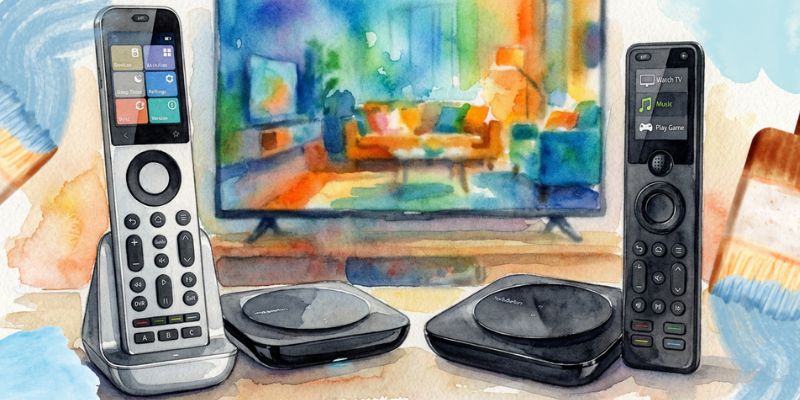
Sofabaton X2 vs X1S

Sofabaton X2 vs X1S: Is The Pricey New Remote Worth It?

In Comparisons by Tim BrennanLeave a Comment

Affiliate Disclosure

As an Amazon affiliate, I earn from qualifying purchases.

In this post, I provide a detailed Sofabaton X2 vs X1S comparison to help you decide if either of these premium Logitech-Harmony-style remotes are for you.


Pursuit of a Better Remote

Sofabaton X2 vs X1SI’ve used a lot of universal remotes over the years and have written extensively about Sofabaton, including the X1S. It controls nearly everything in my setup—Apple TV, my AV receivers, soundbar, and streaming devices.

However, the setup experience is more demanding than it needs to be, especially for anyone who isn’t tech savvy.

That friction is now less acceptable as smart homes go mainstream. According to a recent research report from Mordor Intelligence, adoption continues to grow as devices shift toward simpler, more reliable control. Ease of use is no longer a bonus-it’s the expectation.

That’s where the Sofabaton X2 vs X1S gap really shows. The X1S still performs well once everything is dialed in, but the X2 gets you there faster, with cleaner app flows and fewer “why didn’t that turn on?” moments.

It’s more expensive, BUT for anyone chasing a true Harmony Elite-level replacement, this finally feels like Sofabaton aiming squarely at that crown.


Sofabaton X2 vs X1S: Comparison Table

The following table compares key Sofabaton X2 vs X1S technical specs side by side.

A Smarter Touch Screen
SofaBaton X2 Universal Remote Control with Touchscreen, Powerful Hub, One-Touch Activities, Custom APP, Compatible with IR/Bluetooth/RF/WiFi Devices, Works with Alexa&Google Assistant&Home Assistant
For Home Theater Techies
SofaBaton X1S Universal Remote Control with Hub, Improved Scroll, Smart Remote All in One with Customize One Touch Activities, Compatible with IR/Bluetooth/WiFi Devices
Sofabaton X2
Sofabaton X1S
Controls Home Theater Devices
Controls Smart Home Devices
Limited
Display Type
2.4″ HD Touchscreen
LCD screen (non-touch)
Supported Devices
500,000+ devices from 6,000+ brands
Device Limit
Up to 50 devices (IR / Bluetooth / RF / Wi-Fi)
Up to 60 devices (IR / Bluetooth / Wi-Fi)
One-Touch Activities (Macros)
Voice Assistants
Alexa, Google Assistant, Home Assistant
Alexa, Google Assistant
Battery Type
Rechargeable (USB-C charging dock)
Rechargeable (USB-C cable)
Backlit Buttons
Touchscreen + Physical Keys
Battery Life
1–2 weeks (typical use out of dock)
Up to 45 days
Closed Cabinet Control (IR Blasters)
Hub + Wired IR Emitters
Hub + Dual IR Blasters
Package Dimensions
Approx. 10.2 × 5.9 × 3.1 in
Approx. 9.1 × 5.5 × 2.8 in
Streaming – Apple TV, Fire TV, Roku, Shield
Price
$359.99
$199.99
A Smarter Touch Screen
SofaBaton X2 Universal Remote Control with Touchscreen, Powerful Hub, One-Touch Activities, Custom APP, Compatible with IR/Bluetooth/RF/WiFi Devices, Works with Alexa&Google Assistant&Home Assistant
Sofabaton X2
Controls Home Theater Devices
Controls Smart Home Devices
Display Type
2.4″ HD Touchscreen
Supported Devices
500,000+ devices from 6,000+ brands
Device Limit
Up to 50 devices (IR / Bluetooth / RF / Wi-Fi)
One-Touch Activities (Macros)
Voice Assistants
Alexa, Google Assistant, Home Assistant
Battery Type
Rechargeable (USB-C charging dock)
Backlit Buttons
Touchscreen + Physical Keys
Battery Life
1–2 weeks (typical use out of dock)
Closed Cabinet Control (IR Blasters)
Hub + Wired IR Emitters
Package Dimensions
Approx. 10.2 × 5.9 × 3.1 in
Streaming – Apple TV, Fire TV, Roku, Shield
Price
$359.99
For Home Theater Techies
SofaBaton X1S Universal Remote Control with Hub, Improved Scroll, Smart Remote All in One with Customize One Touch Activities, Compatible with IR/Bluetooth/WiFi Devices
Sofabaton X1S
Controls Home Theater Devices
Controls Smart Home Devices
Limited
Display Type
LCD screen (non-touch)
Supported Devices
500,000+ devices from 6,000+ brands
Device Limit
Up to 60 devices (IR / Bluetooth / Wi-Fi)
One-Touch Activities (Macros)
Voice Assistants
Alexa, Google Assistant
Battery Type
Rechargeable (USB-C cable)
Backlit Buttons
Battery Life
Up to 45 days
Closed Cabinet Control (IR Blasters)
Hub + Dual IR Blasters
Package Dimensions
Approx. 9.1 × 5.5 × 2.8 in
Streaming – Apple TV, Fire TV, Roku, Shield
Price
$199.99

Last update on 12/20/2025 / Affiliate links / Images from Amazon Product Advertising API


Sofabaton X2 – Mini Review

Smart Home & Home Theater Control

At a Glance

  • Type: Hub-based touchscreen universal remote
  • Control Standards: IR, Bluetooth, Wi-Fi
  • Display: 2.4″ touchscreen
  • Voice Assistants: Google Home & Alexa (via hub)
  • Best For: Smart home and modern home theater setups

The Sofabaton X2 is designed for smart home and home theater enthusiasts who want a more intuitive way to manage complex systems. In the Sofabaton X2 vs X1S comparison, the touchscreen is the biggest usability upgrade, making it far easier to navigate large device lists and activities.

Both remotes can control pretty much any device you can throw at them, including Wi-Fi devices, Bluetooth streamers, and traditional IR components like a Blu-ray player. The hub is required and handles IR blasting, connectivity, and voice control. The device management function works best on the latest app rather than the old version of the Sofabaton app.

Setup can still take a fair amount of time, especially in larger systems. Once configured, day-to-day use is fast and consistent, with reliable activity switching and voice control through Google Home & Alexa. Review the specification sheet carefully and watch for a limited-time discount coupon before buying.

Pros

  • Touchscreen greatly improves navigation and activity control
  • Broad device compatibility across IR, Bluetooth, and Wi-Fi
  • Required hub enables strong cabinet and room-wide control
  • Voice control support for Google Home & Alexa
  • Ongoing firmware and app improvements

Cons

  • Hub is mandatory and adds setup complexity
  • Initial configuration can take a lot of time
  • App learning curve for less technical users

Video Review

Video Credit: Theater At Home

Where to Get It

Editor's Choice
SofaBaton X2 Universal Remote
$359.99

Sofabaton's new flagship remote with a touchscreen, charging dock, and smart home control comes a premium price.

Buy from Amazon
12/20/2025 10:28 am GMT

Sofabaton X1S –Mini Review

At a Glance

  • Type: Hub-based universal remote
  • Control Standards: IR, Bluetooth, Wi-Fi
  • Display: 2.0″ LCD with scroll wheel
  • Voice Assistants: Google Home & Alexa (via hub)
  • Best For: Mixed legacy and modern device setups

I’ve used the Sofabaton X1S as my main living-room remote for a couple of years, and in the Sofabaton X2 vs X1S debate it still wins on sheer device coverage-not on quick navigation.

It handles a wide mix of gear, from older IR components to Bluetooth and Wi-Fi devices, and the included hub does the heavy lifting for cabinet control and automation. One thing that matters more than it should: the Sofabaton app. The latest version is noticeably more stable than the older app experience.

The tradeoff is setup and daily browsing. Getting everything dialed in can take time, and the button + 2.0″ LCD interface slows you down when you’re dealing with big device lists-especially for non-technical users. Once it’s configured, though, it’s a dependable workhorse for serious home theater systems.

logitech harmony alternatives sofabaton

My Sofabaton X1 Universal Remote

Pros

  • Excellent compatibility with old and new devices
  • Reliable hub-based cabinet and room control
  • Powerful activity and automation support
  • Improved stability with recent app updates

Cons

  • Setup is difficult for non-technical users
  • Scroll-wheel navigation feels dated
  • Hub requirement adds complexity

Video Review

I’ve covered the X1S in depth here and out on my YouTube channel and plan a lot more content on the X2. Here’s my unboxing of the X1 model.

Where to Get It

Exclusive Deal – Save $10
SofaBaton X1S
$199.99

SofaBaton is offering my readers $10 off the X1S remote. Just click below and check the box on the Amazon product page.

Buy from Amazon
12/20/2025 01:29 pm GMT

Similarities and Differences

In comparing Sofabaton X2 vs X1S here are the key similarities and differences between these two remotes.

Sofabaton X2 vs X1S: Similarities

sofabaton x2 vs x1 fist bump cartoon

  • They both rely on Sofabaton’s actively maintained code base, supporting required devices such as TVs, AV receivers, soundbars, Blu-ray players, smart speakers, and many Wi-Fi devices.
  • They both require a hub with built-in IR control, enabling cabinet placement, reliable source configuration, and voice-triggered activities through Google Home & Alexa.
  • They both support seamless one-touch control for power setting changes and new activity creation once setup is complete.
  • They both use the Sofabaton app for device management, firmware core updates, and update tips, with the new version of the app offering a noticeably better user experience than older releases.
  • They both include a backlit version designed for maximum devices, well suited for late-night movie marathons, chaotic coffee tables, and a multi-generational household.
  • Together, they represent Sofabaton’s two-star remotes, filling the marked absence of a decent universal remote as an essential part of entertainment life today.

Sofabaton X2 vs X1S: Differences

x2 vs x1s sparring cartoon

  • The new Sofabaton X (X2) uses a touchscreen that improves navigation speed and overall viewing experience in larger setups, while the X1S relies on physical right buttons and a 2-inch LCD screen.
  • The X2 places greater emphasis on connectivity via Wi-Fi and smart home integration, while the X1S keeps simplicity front and center for traditional home theaters.
  • The X1S favors a familiar button-based layout with a good arrangement for everyday use, but navigating long device lists can feel slower.
  • The X2 benefits from newer app workflows and upgrade details tied to its more recent release cycle, while the X1S reflects an older interface generation despite continued support.
  • In practice, setup effort differs: the X2 is easier to browse once configured, while the X1S setup process can be a deal breaker for some users before it settles into a fast, reliable experience.

Verdict: Sofabaton X2 vs X1S

At the time of writing, the Sofabaton X2 vs X1S decision comes down to whether you want modern touchscreen navigation and deeper smart home automation, or a more familiar button-based remote that keeps simplicity and works reliably across everyday devices.

  • Choose Sofabaton X2 if touchscreen navigation, smarter automation, Wi-Fi connectivity, and Google Home & Alexa voice commands matter most-especially in more complex home theaters or really automated home systems.
  • Choose Sofabaton X1S if budget is a concern and you want a versatile universal remote with physical buttons, a straightforward interface, and a fast, reliable experience without relearning everything.

At the time of this writing, both remotes address the marked absence of a decent universal remote in modern home entertainment, pairing long mAh battery life, strong Wi-Fi device support, and ongoing additional enhancements that real users continue to value.

📚 Read Next: Sofabaton X1S vs U2 Comparison

👤 About the Author

Tim Brennan is a tech blogger and the YouTuber @TecTimmy. He blogs about smart homes at oneSmartcrib.com, home theaters at UniversalRemoteReviews,com, and AI tools at Writeinteractive. Tim holds a B.A. in Journalism from Northeastern University and has written about technology for 35 years. He is a Star Wars nut and lives on the ocean in Massachusetts.

Tim Brennan
📺 Please subscribe to my YouTube channel

Love tech? Subscribe for iPhone tips, fun tech tips, unboxings, and reviews.

🎥 Subscribe Now
Views: 6

Leave a Comment