As an Amazon Associate, I earn from qualifying purchases.
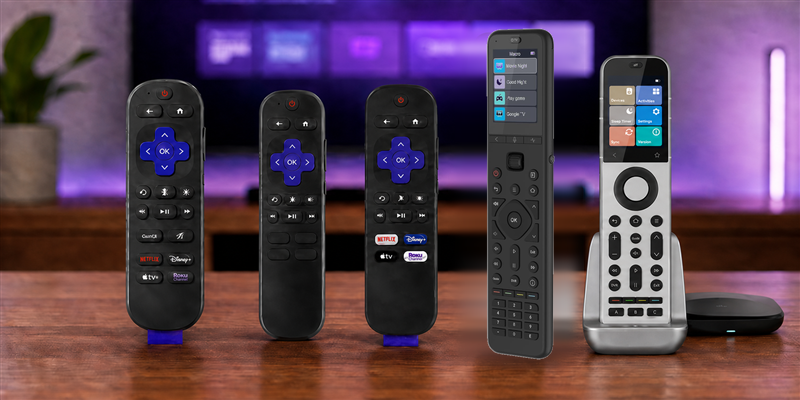
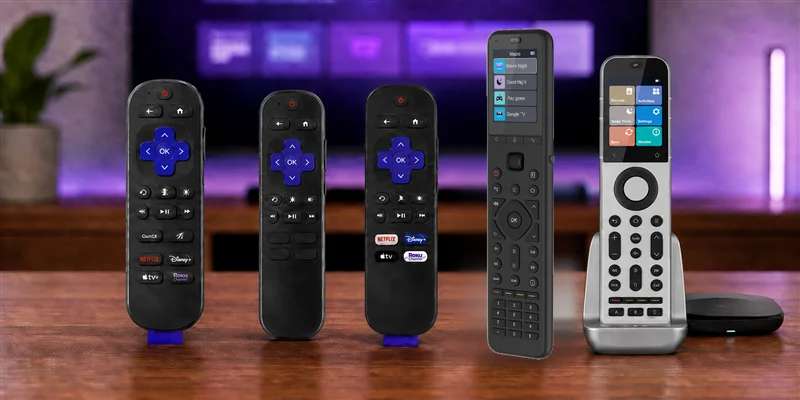
If your Roku TV remote is lost, worn out, or unreliable, these are the replacements I would look at first.
Lost Your Roku Remote?
 I have replaced enough Roku remotes to know the annoying part is not finding a remote; it is finding one made for a Roku TV instead of a separate Roku player.
I would start with an official Roku option for the simplest fix. If you also need to control a soundbar, receiver, or other gear, the SofaBaton U3 and X2 are the two broader choices in this list.
Key Takeaways
- Best replacement: Roku Voice Remote Pro (2nd Edition) adds backlighting, USB-C charging, hands-free voice, and a lost-remote finder.
- Best simple spare: Roku TV Remote is an infrared model for Roku TVs only, not Roku players.
- Premium or budget universal: SofaBaton X2 handles premium hub-based whole-home control, while SofaBaton U3 is the lower-cost universal choice.
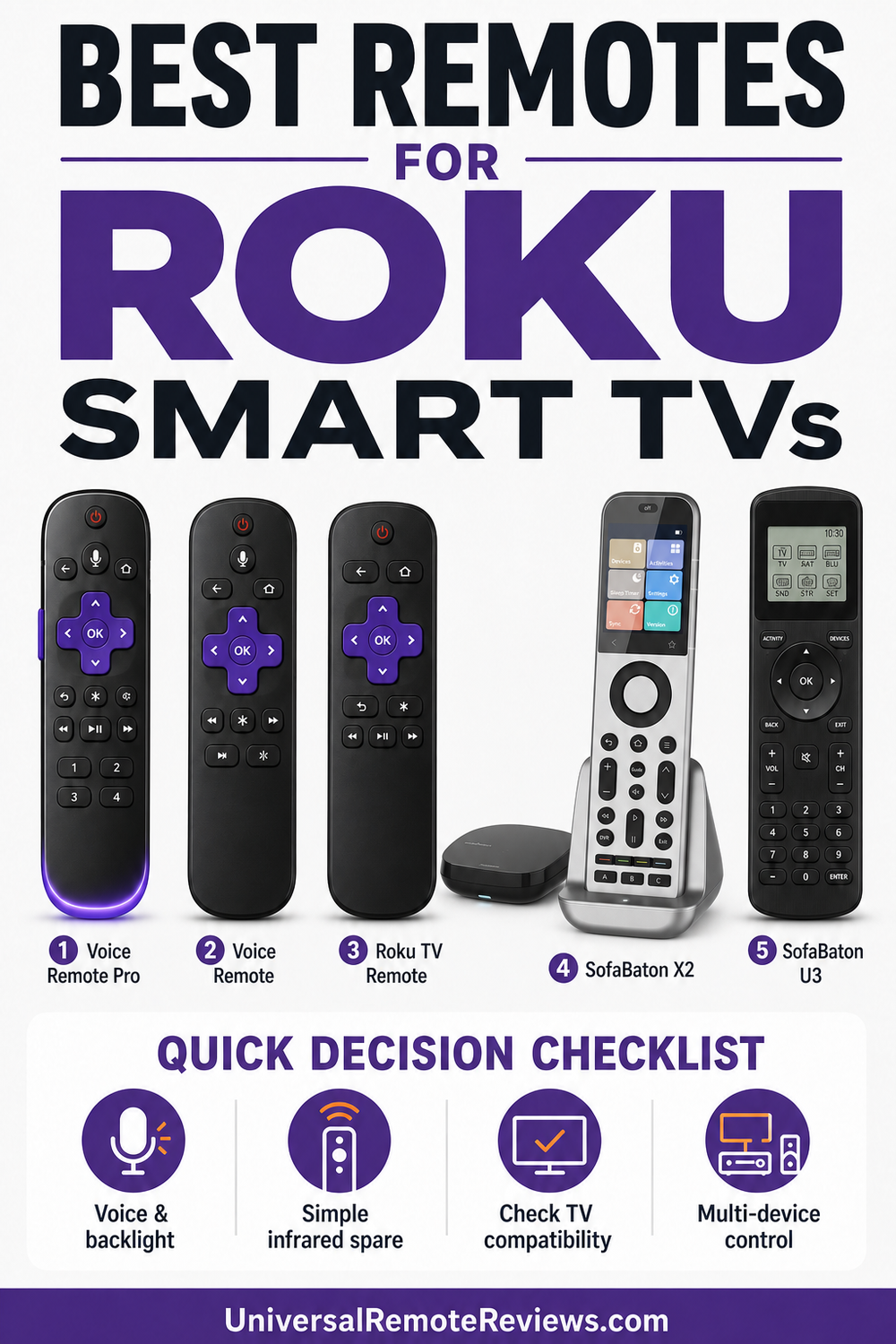
Best Remotes for Roku Smart TVs Comparison Table
The best remotes for Roku smart TVs differ most in connection, voice features, power, and equipment coverage.
| Best Replacement | Best Value Voice | Best Basic Spare | Premium Choice | Budget Universal | |
|---|---|---|---|---|---|
| Product Image |

|

|

|

|

|
| Model | Roku Voice Remote Pro (2nd Edition) | Roku Voice Remote | Roku TV Remote | SofaBaton X2 | SofaBaton U3 |
| Rank | 1 | 2 | 3 | 4 | 5 |
| Best Fit | Best fit: Choose this for the strongest official Roku TV feature set. | Best fit: Choose this for official voice control without Pro extras. | Best fit: Choose this for a simple official Roku TV spare. | Best fit: Choose this for premium Roku and whole-home control. | Best fit: Choose this for lower-cost multi-device control. |
| Voice Control | |||||
| Compatibility | All Roku TV models | All Roku TV models | Roku TVs only | Roku plus supported smart-home devices | Roku TV plus supported devices |
| Backlit Buttons | |||||
| Connection | Wi-Fi direct and infrared | Wi-Fi direct and infrared | Infrared | Wi-Fi, IR, RF, and Bluetooth | Infrared and Bluetooth |
| Power | USB-C rechargeable | Two AAA batteries | Two AAA batteries | Rechargeable with charging dock | USB-C rechargeable |
| Main Tradeoff | Premium features cost more | No backlight or finder | Requires line of sight | Premium price and deeper setup | Setup takes more time |
| Check Price |
#1 – Roku Voice Remote Pro: Best Replacement
Best Fit
Choose this if you want the most complete official remote for a Roku smart TV.
At a Glance
- Compatibility: All Roku TV models and most Roku players
- Power: USB-C rechargeable
- Voice / Smart Home: Hands-free and push-to-talk
- Display: No display
- Control: Wi-Fi direct plus infrared TV controls
Overview
Roku Voice Remote Pro (2nd Edition) leads the best remotes for Roku smart TVs when you want an upgrade rather than a bare replacement. It pairs without line of sight, controls television power, volume, and mute, and adds backlighting that is genuinely useful during a movie. Its official Roku pairing also avoids the code hunting required by broader universal models.
Roku says a typical charge lasts about three months, though use varies. The hands-free microphone can be switched off, and the lost-remote finder solves the exact problem that sends many people shopping for another remote in the first place.
Pros
- Backlit buttons are easy to find in dim light
- Lost-remote finder reduces daily frustration
- USB-C charging avoids disposable batteries
- Official pairing supports current Roku televisions
- Physical television controls cover daily viewing
Cons
- Costs more than a basic replacement
- Hands-free voice is unnecessary for some viewers
- Private listening is not the headline feature here
#2 – Roku Voice Remote: Best Value Voice Remote
Best Fit
Choose this if you want official voice control without paying for the Pro extras.
At a Glance
- Compatibility: All Roku TV models and most Roku players
- Power: Two AAA batteries
- Voice / Smart Home: Push-to-talk
- Display: No display
- Control: Wi-Fi direct plus infrared TV controls
Overview
Roku Voice Remote is the value voice pick among the best remotes for Roku smart TVs. It keeps push-to-talk search, television power, volume, and mute, but skips the Pro model’s charging, backlight, hands-free microphone, and finder. That narrower feature set makes it easier to justify when voice search matters more than premium convenience features.
This is the value pick when voice search matters but premium conveniences do not. Because it uses Wi-Fi direct for Roku commands, it does not need the same straight shot to the television that an infrared-only spare needs.
Pros
- Official pairing works reliably with current Roku TVs
- Voice search works across supported Roku apps
- TV power and volume remain on one remote
- Wireless Roku commands avoid line-of-sight limits
- Familiar layout keeps the learning curve short
Cons
- Buttons do not include backlighting
- There is no lost-remote finder
- AAA batteries require periodic replacement
#3 – Roku TV Remote: Best Basic Official Spare
Best Fit
Choose this if you want a simple official infrared replacement for a Roku TV.
At a Glance
- Compatibility: Roku TVs only
- Power: Two AAA batteries
- Voice / Smart Home: No
- Display: No display
- Control: Infrared
Overview
Roku TV Remote is the least complicated official option among the best remotes for Roku smart TVs. It is built for televisions with Roku included, uses infrared, and covers the familiar navigation and streaming shortcut layout without voice features. There is no pairing routine, rechargeable battery, or microphone to manage, which makes it a dependable spare.
The warning is in the name: this is a Roku TV remote, not the Roku Players Remote. Roku’s accessory guide lists those as separate infrared products. Buy this for a compatible Roku television, and expect to point it toward the screen.
Pros
- Official Roku layout is familiar
- No pairing process for compatible TVs
- Useful as a reliable spare
- Infrared control starts working immediately
- Replaceable batteries simplify long-term ownership
Cons
- Voice search is not included
- Infrared requires clear line of sight
- It does not control Roku players
#4 – SofaBaton X2: Premium Choice
Best Fit
Choose this for premium whole-home control that includes Roku over the local network.
At a Glance
- Compatibility: Roku plus supported entertainment and smart-home devices
- Power: Rechargeable with charging dock
- Voice / Smart Home: Home Assistant integration
- Display: Color touchscreen
- Control: Wi-Fi, IR, RF, Bluetooth, and local IP
Overview
SofaBaton X2 is the premium whole-home controller in this Roku smart TV lineup. SofaBaton’s current X2 product documentation lists IR, RF, Bluetooth, Home Assistant, local IP control, and customizable activities and macros, so it can coordinate the television, audio system, streaming gear, and compatible smart-home routines from one hub-based platform.
Roku is explicitly supported as an X2 Wi-Fi control service. The official X2 setup guide says the remote can discover Roku devices on the same 2.4 GHz network. That makes X2 broader than a Roku-only replacement, but its premium price and deeper setup only make sense when the room needs activities, hidden-equipment control, or whole-home automation.
Pros
- Roku Wi-Fi control avoids infrared-only limits
- Color touchscreen keeps activities and devices visible
- Hub, dock, and optional extenders suit hidden equipment
- Macros coordinate multi-step home-theater routines
- Home Assistant integration broadens whole-home control
Cons
- Costs far more than Roku-only replacements
- Setup is deeper than official Roku pairing
- Does not duplicate native Roku voice search
Touchscreen hub remote for a full home-theater setup.
#5 – SofaBaton U3: Budget Universal
Best Fit
Choose this for lower-cost universal control of the television and other equipment.
At a Glance
- Compatibility: Infrared, Bluetooth, and learnable controls
- Power: USB-C rechargeable
- Voice / Smart Home: No voice control
- Display: 2.4-inch LCD
- Control: SofaBaton app and code library
Overview
SofaBaton U3 is the Budget Universal choice among the best remotes for Roku smart TVs and replaces the discontinued U2 recommendation in this guide. It is not as effortless as an official Roku remote, but it can cover a Roku TV alongside a soundbar, receiver, disc player, and other supported equipment after the profiles are configured.
Use the Roku television’s infrared profile rather than assuming every Roku product responds the same way. The U3 earns this slot for broader control, not for reproducing Roku voice search. Buyers who only need the television should choose one of the first three picks.
Pros
- Controls more than the Roku television
- Rechargeable battery and LCD improve daily use
- App database simplifies many setups
- Infrared learning helps fill code gaps
- Physical buttons support repeatable device control
Cons
- Initial setup takes more time
- Roku voice search is not its strength
- It exceeds simple spare-remote needs
Rechargeable LCD universal remote, no hub required.
How to Choose the Best Remotes for Roku Smart TVs
The best remotes for Roku smart TVs begin with the television's connection requirements and the other equipment you expect one handset to control.
What I Look For When I Buy
Before choosing among the best remotes for Roku smart TVs, I check these four practical details.
- Confirm that the listing names Roku TVs, not only Roku players or Streaming Sticks.. Use this check to keep the buying decision tied to the setup you actually have.
- Choose wireless pairing for voice features or infrared for a simple line-of-sight spare.. Use this check to keep the buying decision tied to the setup you actually have.
- Decide whether X2’s hub, touchscreen, activities, and whole-home control justify its premium price. Use this check to keep the buying decision tied to the setup you actually have.
- Choose U3 when you want lower-cost universal control without X2’s hub and smart-home depth. Use this check to keep the buying decision tied to the setup you actually have.
Video Review
The TecTimmy YouTube channel review of the broader SofaBaton lineup shows why a universal remote demands more setup than a Roku-only replacement.
FAQs
These are the questions I would answer before choosing a remote.
1. What are the best remotes for Roku smart TVs?
Roku Voice Remote Pro is the best replacement, Voice Remote is the value voice choice, and Roku TV Remote is the simple infrared spare. SofaBaton X2 is the premium whole-home controller, while SofaBaton U3 is the budget universal pick. Match the connection method and control scope to your television, sound system, and viewing habits.
2. Will any Roku remote work with a Roku TV?
Not all of the best remotes for Roku smart TVs work across every Roku device. Voice Remote and Voice Remote Pro support Roku TVs and most players, while Roku TV Remote is television-only. Roku Players Remote does not work with a Roku TV. Streaming Sticks also require a paired wireless model instead of infrared.
3. Which of the best remotes for Roku smart TVs should I buy?
Choose Voice Remote Pro if backlighting, USB-C charging, hands-free voice, and a lost-remote finder matter. Choose Voice Remote for push-to-talk search without extras. Choose infrared Roku TV Remote when you only need navigation and can point the handset toward the television. Match the feature level to how you watch weekly.
4. Can a universal remote control a Roku smart TV?
A universal model can join the best remotes for Roku smart TVs when it supports matching Roku TV infrared codes. Roku publishes code guidance for several makers. This approach can combine television, soundbar, receiver, and disc-player control, but may not reproduce voice. Confirm the codes and supported equipment before choosing one for your setup.
5. What should I avoid among the best remotes for Roku smart TVs?
Avoid listings that treat Roku TVs, Roku players, and Roku Streaming Sticks as interchangeable. Infrared player remotes do not control Roku TVs, and replacements cannot operate a Streaming Stick behind the television. Also avoid assuming aftermarket remotes include voice, pairing, headphone listening, or television controls; read supported models and feature details carefully before ordering online.
Best Remotes for Roku Smart TVs Verdict
 The best remotes for Roku smart TVs start with the television's connection requirements, not the Roku logo alone.
- Choose Roku Voice Remote Pro if you want the strongest official mix of voice, charging, backlighting, and finder features.
- Choose Roku TV Remote if you want the simplest official infrared replacement for a compatible Roku television.
- Choose SofaBaton X2 for premium hub-based Roku and whole-home control; choose SofaBaton U3 for the lower-cost universal route.
If you are shopping for a separate Roku box or stick, compare my best remotes for Roku players.

Please subscribe for a fun take on tech—tips, unboxings, reviews & more!