As an Amazon Associate, I earn from qualifying purchases.
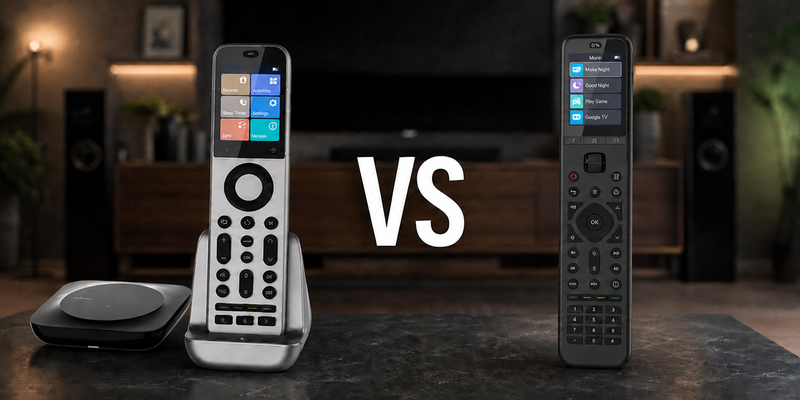
SofaBaton X2 vs U3 pits a premium touchscreen smart-home hub against a practical hub-free remote for simpler living rooms.
Pricey Touchscreen or Budget LCD
 I own both the SofaBaton X2 and U3, and I’ve used each in my own setup. The X2 gives you a full-color touchscreen, while the U3 uses a larger LCD with a scroll wheel and traditional buttons.
In this SofaBaton X2 vs U3 comparison, the choice mostly comes down to how much control you need. The X2 adds a hub, Activities, and better control of hidden equipment. The U3 skips the Wi-Fi hub and keeps things simpler.
Ever since Logitech discontinued Harmony, I’ve been looking for a remote that can take its place. Mordor Intelligence tracks continued smart-home growth, and the more devices we add, the more useful good universal control becomes.
Key Takeaways
- X2 is the better choice for a serious home theater: Its hub, touchscreen, Activities, and support for hidden equipment give you much more control.
- U3 is simpler and less expensive: It handles IR, Bluetooth, and compatible RF devices without requiring a separate Wi-Fi hub.
- Pick the one that fits your setup: X2 for more control, U3 for simplicity.
SofaBaton X2 vs U3 Comparison Table
The following table compares SofaBaton X2 vs U3 by control architecture, daily navigation, and smart-home depth.
| Flagship Pick | Best Budget Universal | |
|---|---|---|
| Product Image |

|

|
| Model | SofaBaton X2 | SofaBaton U3 |
| Best Fit | Best fitChoose X2 when a serious theater needs touchscreen Activities, a hub, and smart-home control. | Best fitChoose U3 for a simpler room that needs direct, rechargeable control without a Wi-Fi hub. |
| Hub System | ||
| Architecture | Remote, hub, dock, optional repeater | Direct IR, Bluetooth, RF learning |
| Touchscreen | ||
| Display | 2.4-inch color touchscreen | 2.4-inch LCD and scroll wheel |
| Home Assistant | ||
| Automation | Activities, macros, and local IP | Device Mode and one-touch macros |
| Physical Number Pad | ||
| Hidden Gear | Hub covers cabinet equipment | Optional R1 extends IR reach |
| Air Mouse | ||
| Voice and Smart Home | Alexa, Google, Home Assistant, Matter | Google voice on compatible devices |
| Power | 1200mAh battery and charging dock | 1200mAh USB-C rechargeable |
| Where to buy | Check Price at Amazon | Check Price at Amazon |
SofaBaton X2
SofaBaton U3
#1 – SofaBaton X2: Premium Touchscreen Hub
Best Fit
Choose X2 when a serious theater needs touchscreen Activities, a hub, and smart-home control.
SofaBaton X2 finally feels like SofaBaton aiming squarely at the Harmony crown in this SofaBaton X2 vs U3 comparison. I’ve tested it extensively, and the touchscreen, charging dock, hub, and clearer Activity flow make the flagship argument easy to understand.
Setup can still take time in a complicated system. Once everything is dialed in, day-to-day use is fast and consistent, with fewer “why didn’t that turn on?” moments when several people share the room.
SofaBaton X2 Hands-On Video
Pros
- Color touchscreen speeds Activity navigation
- Hub reaches hidden theater equipment
- Charging dock keeps the remote ready
- Local IP and Home Assistant expand control
- Matter support strengthens smart-home direction
Cons
- Costs much more than the U3
- Hub and Activity setup takes patience
- Premium features are excessive for simple rooms
#2 – SofaBaton U3: Best Budget Universal
Best Fit
Choose U3 for a simpler room that needs direct, rechargeable control without a Wi-Fi hub.
SofaBaton U3 is the practical, no-nonsense universal remote in this matchup. I like that it doesn’t pretend every room needs a hub. You still get a larger LCD, full keypad, macros, direct IR and Bluetooth, and compatible RF learning.
Setup is straightforward because there is no Wi-Fi hub. You still need line of sight for IR unless you add the optional R1, and Google voice or Air Mouse works only with compatible Bluetooth devices.
Pros
- Hub-free setup suits simpler rooms
- 2.4-inch LCD keeps device switching visible
- Physical number pad supports direct channel entry
- Compatible RF learning broadens direct control
- 1200mAh battery recharges over USB-C
Cons
- No X-series Activities or Wi-Fi hub
- IR needs line of sight without optional R1
- Voice and Air Mouse depend on device support
How to Choose SofaBaton X2 vs U3
Here is a quick SofaBaton X2 vs U3 comparison you can pin now and come back to later.
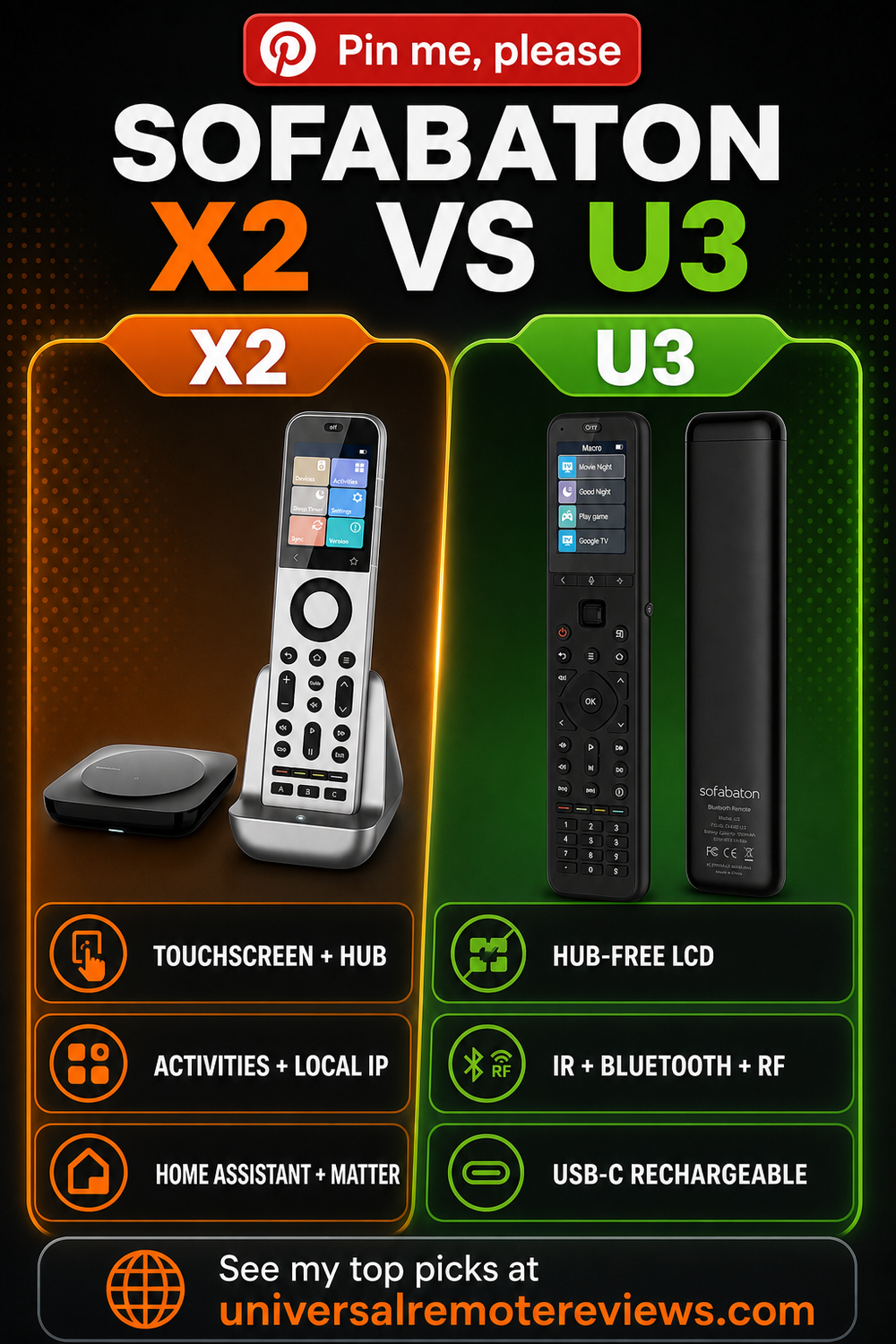
What I Look For When I Buy
For SofaBaton X2 vs U3, I would check these points before paying flagship money or trying to save with the U3.
- ✓Room Complexity. Choose X2 when several devices, inputs, and hidden components must behave like one system.
- ✓Smart-Home Depth. Choose X2 when Home Assistant, Matter, or local IP control belongs in the plan.
- ✓Tactile Control. Choose U3 when a physical number pad and direct buttons matter more than a touchscreen.
- ✓Budget Discipline. Choose U3 when macros and direct control solve the room without paying for a hub.
Who Should Not Buy
- ✕Skip X2 if the room only needs a TV and soundbar remote.
- ✕Skip U3 if hidden gear and complex Activities are the real problem.
- ✕Skip both if the original remote already handles the routine.
FAQs
Here are the questions readers ask me most often about SofaBaton X2 vs U3.
1. What is the biggest SofaBaton X2 vs U3 difference?
X2 is a premium remote-and-hub system with touchscreen Activities, hidden-device control, local IP, Home Assistant, Matter, and a charging dock. U3 is a standalone LCD remote built around direct IR, supported Bluetooth, compatible RF learning, macros, and a physical keypad. The room architecture and automation depth are fundamentally different.
2. Is X2 worth paying more for than U3?
X2 is worth the premium when a hub must coordinate several devices, reach hidden equipment, run Activities, or connect to Home Assistant and local IP gear. If your television, soundbar, and streamer are visible and straightforward, U3 covers the practical remote jobs without making you pay for a smart-home control system.
3. Does U3 have the same touchscreen and Activities?
No. U3 has a 2.4-inch LCD that is not touch-sensitive, plus a scroll wheel, physical navigation controls, and a number pad. It supports Device Mode and macros, but not X2's touchscreen Activity interface. X2 also uses its hub to coordinate the room instead of sending every command directly from the handheld remote.
4. Which remote works better with hidden equipment?
X2 is the better fit because its hub can sit near the equipment and send commands without requiring you to aim the handheld remote at every component. U3 sends IR directly and normally needs line of sight. An optional R1 repeater can extend U3 coverage, but it does not turn U3 into an X2-style hub system.
5. Which remote is easier for everyday channel entry?
U3 has the more traditional answer because it includes a physical number pad below the transport controls. X2 can present numeric controls on its touchscreen, which keeps the hardware cleaner but changes the feel. If you enter channels frequently and prefer tactile buttons, U3 may be easier even though X2 is the more advanced system.
SofaBaton X2 vs U3 Verdict
 SofaBaton X2 vs U3 comes down to whether you need a control system or a better everyday remote.
- Choose SofaBaton X2 if you want touchscreen Activities, a hub, hidden-device reach, and serious smart-home integration.
- Choose SofaBaton U3 if you want a rechargeable hub-free LCD remote with direct controls and a keypad.
- Choose neither remote if your original clicker already handles the room without extra programming.
X2 is the flagship I would build around; U3 is the practical buy when a simpler room does not need the hub.

Please subscribe for a fun take on tech—tips, unboxings, reviews & more!