As an Amazon Associate, I earn from qualifying purchases.
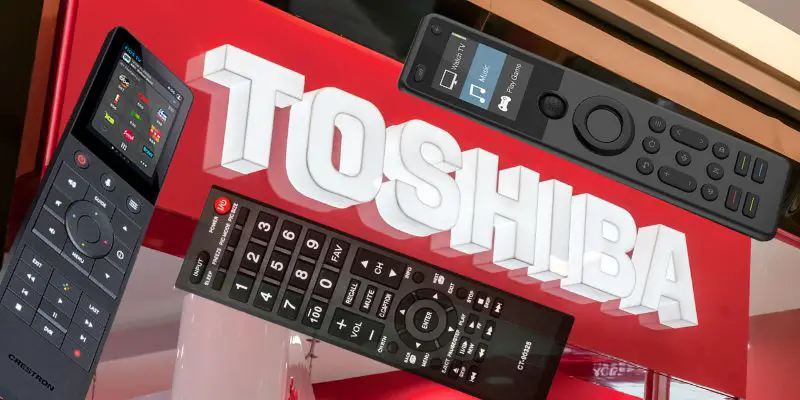
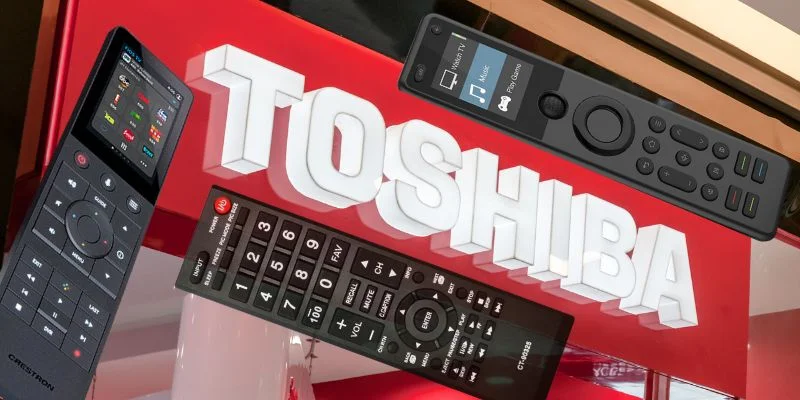
The best remotes for Toshiba TVs should make the whole TV room easier, whether you need a replacement or a full-room controller.
Toshiba TV Nostalgia
 Ah Toshiba. My first flat-screen TV was a 38-inch Toshiba, and I still remember thinking that little screen was the height of living-room luxury.
That nostalgia is why I am keeping the original voice here, but the remote advice needs a cleaner refresh. The best remotes for Toshiba TVs now split into two camps: full-room universal remotes and simple Toshiba or Fire TV replacements.
I have owned and tested the SofaBaton-style universal options, and I evaluated the Toshiba-specific picks against the field using owner reports, compatibility language, and the existing Lasso records already tied to this post.
Grand View Research notes that convenience keeps driving smart remote adoption, which fits the real problem here: one remote should make the room easier, not busier.
Key Takeaways
- SofaBaton X1S is the strongest first look when your Toshiba shares the room with streamers, soundbars, receivers, or smart-home gear.
- SofaBaton U3 is the rechargeable LCD universal pick if you want device control without committing to a hub-based setup.
- Primote stays useful as a simple Toshiba and Fire TV replacement, while BroadLink and the Alexa Voice Remote Pro serve narrower app-control and Fire TV needs.
Best Remotes for Toshiba TVs Comparison Table
Compare the best remotes for Toshiba TVs in this side-by-side breakdown.
| Full-Room Hub | Budget LCD Universal | App Control Hub | Simple Replacement | Fire TV Voice | |
|---|---|---|---|---|---|
| Product Image |

|

|

|
|

|
| Model | SofaBaton X1S | SofaBaton U3 | BroadLink RM4 Pro | Toshiba Primote | Alexa Voice Remote Pro |
| Best Fit | Best fit: Choose this if you want a Best Toshiba room upgrade. | Best fit: Choose this if you want a Rechargeable LCD control. | Best fit: Choose this if you want a Best app-control setup. | Best fit: Choose this if you want a Best basic replacement. | Best fit: Choose this if you want an official Fire TV upgrade. |
| Good for Replacing Original? | |||||
| Control Style | OLED remote screen plus app | 2.4-inch wake-on-lift LCD | Phone app, no handheld screen | Standard button layout | Backlit button remote |
| Voice Control | Alexa and Google Assistant | Google on compatible Bluetooth devices | Alexa and Google Assistant | No voice search | Alexa voice search |
| Power | Rechargeable remote with hub | 1200mAh USB-C battery | USB-powered hub | Two AAA batteries | Two AAA batteries |
| Setup Load | Moderate | Low to moderate | Moderate | Low to moderate | Low, Fire TV pairing |
| Best Strength | Controls complex Toshiba setups | Rechargeable physical controls plus LCD | Great for phone control | Simple Toshiba replacement path | Backlit buttons plus a remote finder |
| Main Tradeoff | Setup takes some patience | No Wi-Fi hub | No physical remote included | No voice search support | No soundbar or receiver control |
| Check Price |

#1 – SofaBaton X1S: Full-Room Hub
At a Glance
- Compatibility: Toshiba TVs plus room devices
- Power: Rechargeable remote with hub
- Voice: Alexa and Google Assistant
- Display: OLED remote screen plus app
- Use Case: Best Toshiba room upgrade
Overview
The SofaBaton X1S is the safest first look if your Toshiba TV is only one piece of the room. It can manage the TV, streaming box, soundbar, receiver, and other daily gear from one remote.
This is the option I would check first when the goal is consolidating a busy Toshiba setup. The tradeoff is setup time, but the payoff is cleaner daily control.
Pros
- Handles Toshiba rooms plus hidden components cleanly
- Activity buttons simplify Toshiba movie-night routines
- Supports Alexa and Google Assistant control
Cons
- Setup takes patience during first configuration
- Overkill for a single Toshiba TV
SofaBaton X1S offers similar core functionality to the X2, minus the touchscreen, at a lower price.
#2 – SofaBaton U3: LCD Universal
At a Glance
- Compatibility: IR, supported Bluetooth, and learnable 433/315 MHz RF.
- Power / Battery: 1200mAh rechargeable battery with USB-C charging.
- Voice / Smart Home: Google voice on compatible Bluetooth devices; no Wi-Fi hub.
- Screen / Display: 2.4-inch wake-on-lift LCD.
- Use Case: Rechargeable LCD control for compatible Toshiba rooms.
Overview
The SofaBaton U3 is the current LCD-equipped universal option in this Toshiba roundup. Its physical controls surround a 2.4-inch wake-on-lift screen, while the 1200mAh battery and USB-C charging make it a practical upgrade for compatible TV, audio, and streaming gear.
For the best remotes for Toshiba TVs, the U3 supports compatible IR and Bluetooth devices, learnable 433/315 MHz RF, macros, and up to three supported Bluetooth connections. Google voice and Air Mouse depend on the Bluetooth device, and hidden IR components may need the optional R1 repeater because this is not a Wi-Fi hub.
Pros
- 2.4-inch LCD keeps devices and modes visible.
- 1200mAh battery recharges over USB-C.
- Supports compatible IR, Bluetooth, and learnable RF gear.
- Backlit physical controls work well in dark rooms.
Cons
- No Wi-Fi or Harmony-style smart-home hub.
- Voice and Air Mouse support depend on the device.
- Hidden IR gear may need the optional R1 repeater.
Rechargeable LCD universal remote, no hub required.
#3 – BroadLink RM4 Pro: App Control Hub
At a Glance
- Compatibility: Toshiba plus smart-home gear
- Power: USB-powered hub
- Voice: Alexa and Google Assistant
- Display: Phone app, no handheld screen
- Use Case: Best app-control setup
Overview
The BroadLink RM4 Pro is for people who are comfortable turning a phone into the main controller. It can bridge infrared and RF commands for a Toshiba TV room that also has smart-home devices.
It earns its spot here because it solves a different Toshiba room-control job. You do not get a classic clicker, but you do get automation and voice-control flexibility.
Pros
- Useful for phone-first Toshiba room control
- Supports both IR and RF gear
- Works with major voice assistants easily
Cons
- No handheld remote is included here
- App setup is required before use
The Broadlink RM4 Pro controls 50,000+ IR and Wi-Fi devices via app scenes—but no Bluetooth support.
#4 – Toshiba Primote: Simple Replacement
At a Glance
- Compatibility: Toshiba Fire Smart TVs
- Power: Two AAA batteries
- Voice: No voice search
- Display: Standard button layout
- Use Case: Best basic replacement
Overview
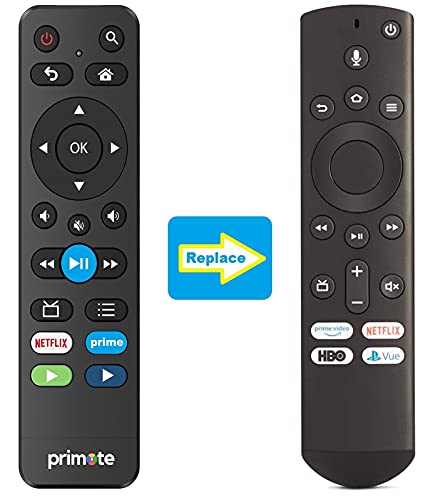
The Toshiba Primote is the cleanest choice when you just need the TV working again. It is built for Toshiba and Insignia Fire Smart TV sets rather than whole-room automation.
This is the simple replacement lane for a Toshiba TV. It gives up premium extras, but the familiar button layout is exactly the point.
Pros
- Restores Toshiba Fire TV controls quickly
- Learnable buttons can handle Toshiba soundbars
- No app setup is required here
Cons
- No voice search support is included
- Limited beyond compatible Toshiba Fire TVs
#5 – Alexa Voice Remote Pro: Fire TV Upgrade
At a Glance
- Compatibility: Compatible Fire TV smart TVs and streamers
- Power: Two AAA batteries
- Voice: Alexa voice and Fire TV search
- Display: No screen, backlit buttons
- Use Case: Best official Fire TV upgrade
Overview
The Alexa Voice Remote Pro is the Fire TV pick I would use when a Toshiba Fire TV set needs a better clicker than the one it shipped with. It keeps Alexa voice search and native Fire TV navigation, then adds backlit buttons, two customizable buttons, and a remote finder.
This is the official Fire TV upgrade for Toshiba owners rather than a universal-control option. It will not drive a soundbar or receiver, but it is the cleanest way to improve everyday Fire TV control on a Toshiba set.
Pros
- Keeps Alexa voice search and Fire TV navigation
- Backlit buttons stay readable after dark
- Remote finder and two custom buttons add daily convenience
Cons
- Does not control a soundbar or receiver
- AAA batteries still need replacing
FAQs
Here are the quick answers I would check before choosing among the best remotes for Toshiba TVs.
1. What makes best remotes for Toshiba TVs different?
They combine two jobs: replacing the lost Toshiba clicker and simplifying the rest of the room. A basic Toshiba or Fire TV remote should restore power, volume, inputs, and navigation. A universal remote becomes worthwhile when the same screen shares space with a soundbar, receiver, cable box, game console, or streamer every night at home.
2. Can a universal remote work with a Toshiba TV?
Yes. The best remotes for Toshiba TVs can work through infrared codes, HDMI-CEC, Fire TV pairing, or a hub, depending on the model. Check whether your set is a standard Toshiba TV or a Toshiba Fire TV Edition first, because replacement remotes and voice remotes follow different compatibility paths before placing an online order today.
3. Is a replacement remote better than a phone app?
A replacement remote is usually better for everyday volume, mute, input, and menu control because real buttons are faster than unlocking a phone. Apps are useful as backups, especially for network commands or quick setup changes. The best remotes for Toshiba TVs still tend to keep a physical clicker nearby for daily watching at home.
4. Should I buy an original-style remote or a universal remote?
Choose an original-style remote if your Toshiba is the only device you need to control and you want the fewest setup steps. Choose a universal remote if the room also has a streamer, cable box, soundbar, receiver, or game console. The best remotes for Toshiba TVs match the whole room, not just the logo onscreen.
5. What features matter most in a Toshiba TV remote?
The most useful features are compatibility, reliable power and volume control, clear buttons, simple setup, and support for other devices in the room. Voice control, backlighting, activity buttons, and app setup can help, but only when they match daily habits. The best remotes for Toshiba TVs solve the exact problem cleanly first at home today.
Best Remotes for Toshiba TVs Verdict
 The best remotes for Toshiba TVs come down to how much of the room you need to control. Start with the TV, then decide whether your streamer, soundbar, receiver, or cable box should come along for the ride.
- Choose SofaBaton X1S if you want one remote for a busier entertainment setup.
- Choose SofaBaton U3 if you want rechargeable LCD control for compatible gear.
- Choose Toshiba Primote if your main goal is a narrower daily-control fix.
For a broader look at room-wide controllers, see my best universal remotes next.

Please subscribe for a fun take on tech—tips, unboxings, reviews & more!