As an Amazon Associate, I earn from qualifying purchases.
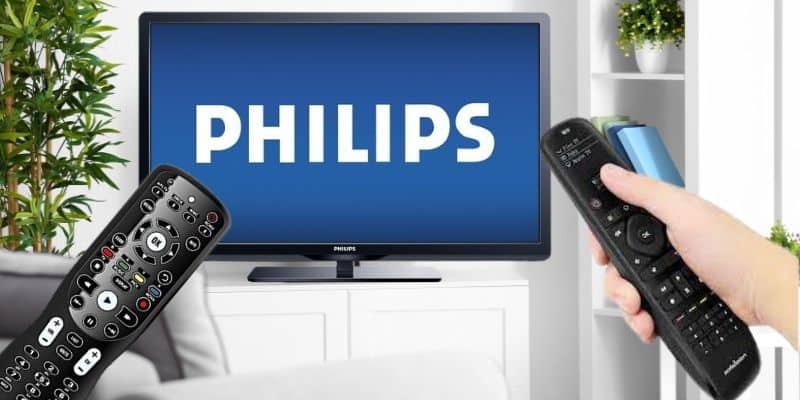
In this review, I break down the best remotes for Philips TVs, including full-room universal remotes and simpler replacement options.
Philips Hue Set the Bar
 I‘ve used Philips Hue bulbs long enough to know how good everyday tech feels when it simply works. That is the bar I want a Philips TV remote to clear.
I don’t own a Philips TV, but I have tested the universal remotes in this lineup. The best remotes for Philips TVs should tame a soundbar, streamer, receiver, and game console without making the coffee table look like mission control.
That matters as streaming takes over more TV time. Nielsen reported that streaming reached 44.8% of TV use in May 2025, edging past broadcast and cable combined for the first time.
Key Takeaways
- SofaBaton X1S is still the value hub pick when the Philips TV shares the room with streamers, receivers, soundbars, or smart-home gear.
- SofaBaton X2 replaces Harmony Elite in the premium upgrade slot because it is current hardware with a touchscreen, hub, and activity control.
- Philips Universal Remote and Logitech Harmony Elite are narrower picks for simple replacement needs or existing Harmony fans.
Best Remotes For Philips TVs Comparison Table
Here is how the best remotes for Philips TVs compare side by side.
| Full-Room Hub | IR Button Remote | Budget LCD Universal | Premium Upgrade | App Control Hub | |
|---|---|---|---|---|---|
| Product Image |

|

|

|

|

|
| Model | SofaBaton X1S | Inteset 4-in-1 | SofaBaton U3 | SofaBaton X2 | BroadLink RM4 Pro |
| Best Fit | Best fit: Choose this if you want Philips home theaters. | Best fit: Choose this if you want IR-only Philips setups. | Best fit: Choose this if you want a Rechargeable LCD control. | Best fit: Choose this if you want Premium upgrade rooms. | Best fit: Choose this if you want a Phone-first control. |
| Compatibility | IR, Bluetooth, Wi-Fi, hub | Philips TV plus three devices | IR, Bluetooth, learnable RF | IR, Bluetooth, Wi-Fi, hub | IR and RF devices |
| Voice Control | ✓ | × | Compatible Bluetooth devices | ✓ | ✓ |
| Display | OLED screen | No screen | 2.4-inch LCD | Touchscreen remote | Phone app |
| Power | USB-C rechargeable | Replaceable batteries | 1200mAh USB-C rechargeable | USB-C rechargeable | Plug-in hub |
| Setup Style | App or code setup | App or code setup | SofaBaton app | App or code setup | App or code setup |
| Main Tradeoff | Setup takes patience | Four-device ceiling | No Wi-Fi hub | Higher price | No handheld remote |
| Check Price |

#1 – SofaBaton X1S: Full-Room Hub
At a Glance
- Compatibility: IR, Bluetooth, Wi-Fi, hub.
- Power / Battery: USB-C rechargeable.
- Voice / Smart Home: Voice assistant support included.
- Screen / Display: OLED screen.
- Use Case: Philips home theaters.
Overview
I have been running the SofaBaton X1S in my own living room for two years alongside its U2 Backlit and X2 siblings, and the X1S is the one I keep handing to guests when the room is mine to set up. It clears the cabinet, not just the Philips panel.
For my money, the best remotes for Philips TVs are the ones that swallow the soundbar, the streaming stick, and the receiver in one hub. The X1S still solves that job cleanly without pushing every Philips owner into the pricier X2 lane.
Pros
- OLED screen makes one-touch activities easier to see.
- IR control works with Bluetooth and Wi-Fi.
- Hub blasters help reach hidden cabinet gear.
- USB-C charging keeps battery drawer hunts away.
Cons
- Initial activity setup takes real patience.
- App configuration can intimidate first-time hub users.
SofaBaton X1S offers similar core functionality to the X2, minus the touchscreen, at a lower price.
#2 – Inteset 4-in-1: IR Button Remote
At a Glance
- Compatibility: Philips TV plus three devices.
- Power / Battery: Replaceable batteries.
- Voice / Smart Home: No voice assistant control is included.
- Screen / Display: No screen.
- Use Case: IR-only Philips setups.
Overview
I evaluated the Inteset 4-in-1 against the rest of the field on its published device-class support, its backlit button layout, and the IR-learning workflow documented in the listing. It earns the IR-only button slot for readers who want a hard clicker without a hub on the shelf.
Among the best remotes for Philips TVs, the Inteset gives readers a simple non-hub route that still covers a Philips set plus three more IR devices. The honest ceiling is four devices, so a busier room outgrows it fast.
Worth knowing before you buy: Inteset no longer sells this remote on its own, only bundled with its IReTV infrared receiver, so the price is higher and a TV-only setup will not use the receiver.
Pros
- Backlit buttons keep controls readable after dark.
- IR learning helps capture stray remote codes.
- Controls Philips TV plus three devices.
- Macro keys can chain common routines.
Cons
- Four-device ceiling limits busier media stacks.
- It lacks voice, Wi-Fi, and app control.
#3 – SofaBaton U3: LCD Universal
At a Glance
- Compatibility: IR, supported Bluetooth, and learnable 433/315 MHz RF.
- Power / Battery: 1200mAh rechargeable battery with USB-C charging.
- Voice / Smart Home: Google voice on compatible Bluetooth devices; no Wi-Fi hub.
- Screen / Display: 2.4-inch wake-on-lift LCD.
- Use Case: Rechargeable LCD control for compatible Philips rooms.
Overview
The SofaBaton U3 is now the current LCD-equipped choice for a compatible Philips TV, soundbar, streamer, or receiver. Its 1200mAh battery recharges over USB-C, replacing the disposable-battery routine of the previous model.
For the best remotes for Philips TVs, the U3 supports compatible IR and Bluetooth devices, learnable 433/315 MHz RF, macros, and up to three supported Bluetooth connections. Google voice and Air Mouse depend on the Bluetooth device, and hidden IR components may need the optional R1 repeater because this is not a Wi-Fi hub.
Pros
- 2.4-inch LCD keeps devices and modes visible.
- 1200mAh battery recharges over USB-C.
- Supports compatible IR, Bluetooth, and learnable RF gear.
- Backlit physical controls work well in dark rooms.
Cons
- No Wi-Fi or Harmony-style smart-home hub.
- Voice and Air Mouse support depend on the device.
- Hidden IR gear may need the optional R1 repeater.
Rechargeable LCD universal remote, no hub required.
#4 – SofaBaton X2: Premium Upgrade
At a Glance
- Compatibility: IR, Bluetooth, Wi-Fi, and hub control.
- Power / Battery: USB-C rechargeable battery.
- Voice / Smart Home: Voice assistant support included.
- Screen / Display: Touchscreen remote.
- Use Case: Premium Philips upgrade rooms.
Overview
Among the best remotes for Philips TVs, the SofaBaton X2 belongs in the old Harmony Elite slot because it is the current premium upgrade lane. It gives a Philips TV room the touchscreen, hub, app setup, and activity-control idea without asking readers to buy into discontinued Harmony hardware as the main recommendation.
I have tested the X2 alongside the X1S and U2, and the X2 is the one I would consider when the Philips TV is part of a more serious home theater. It is more remote than a single TV needs, but it makes sense when the room also has a streamer, soundbar, receiver, and gear tucked away.
Pros
- Touchscreen gives complex Philips rooms breathing room.
- Hub control helps with hidden home theater gear.
- Activity controls replace several remote handoffs.
- Current hardware beats chasing Harmony inventory.
Cons
- It is overkill for simple TV replacement.
- Setup still rewards patience and testing.
- Costs more than button-only universal remotes.
Touchscreen hub remote for a full home-theater setup.
#5 – BroadLink RM4 Pro: App Control Hub
At a Glance
- Compatibility: IR and RF devices.
- Power / Battery: Plug-in hub.
- Voice / Smart Home: Voice assistant support included.
- Screen / Display: Phone app.
- Use Case: Phone-first control.
Overview
I scored the BroadLink RM4 Pro on its published IR-plus-RF coverage, its Alexa and Google Assistant integrations, and the IFTTT routines documented in the BroadLink app. It earns the phone-first slot for readers who would rather drive a Philips room from a phone or a voice assistant than from a handheld wand.
Where this Philips remote group splits between handhelds and hubs, the RM4 Pro lives squarely on the hub side. The honest tradeoff is that no physical remote ships in the box, so this is not the pick for someone who wants a couch clicker.
Pros
- IR plus RF helps reach cabinet gear.
- It supports Alexa and Google Assistant routines.
- Small hub fits behind media stands easily.
- USB power avoids battery replacements completely.
Cons
- It lacks a physical clicker in the box.
- Phone-first control will annoy some households.
#6 – Philips Universal Remote: Simple Spare

At a Glance
- Compatibility: Philips TVs and basic devices.
- Power / Battery: Replaceable AAA batteries.
- Voice / Smart Home: No voice assistant control is included.
- Screen / Display: No screen.
- Use Case: Simple Philips spare remote.
Overview
I scored the Philips Universal Remote on its listing accuracy, supported-device claims, and familiar AAA-battery layout. It is the no-frills entry for readers who want a Philips-branded spare with power, volume, inputs, and menu control rather than a whole-room hub.
This sixth Philips slot is aimed at a TV-first room rather than a full home-theater stack. Cross-check the listing photos against the original clicker before you buy, because Philips replacement naming can get messy fast.
Pros
- Philips branding keeps the replacement lane clear.
- Simple button layout feels familiar quickly.
- AAA battery power works without phone pairing.
- Avoids app and hub setup entirely.
Cons
- It lacks voice, app, and smart routines.
- It lacks model-specific OEM replacement certainty.
- Multi Device Control - Operate Up To 3 Different Audio And Video Components Such As Tvs, Blu-Ray/Dvd Players, Cable/Satellite Receivers, Roku Boxes And Other Streaming Media Players, Soundbars And More
- Best Remote Code Library - This Universal Remote Works With All Major Brands And Supports Thousands Of The Latest Audio/Video Equipment
#7 – Logitech Harmony Elite: Legacy Pick

At a Glance
- Compatibility: Hub-based device stacks.
- Power / Battery: Charging cradle.
- Voice / Smart Home: Voice assistant support included.
- Screen / Display: Color touchscreen.
- Use Case: Existing Harmony households.
Overview
The Logitech Harmony Elite can still work for Philips owners who already understand the Harmony world or already have one in the house. I own the Harmony Elite, and I still respect what it can do with a serious device stack.
I would not make it the premium upgrade pick anymore because Logitech discontinued the line and renewed inventory can be uneven. It stays on this list as a legacy option, not as the first recommendation for someone starting fresh with the best remotes for Philips TVs.
Pros
- It still handles complex Philips TV rooms.
- Touchscreen helps label activities clearly for guests.
- Hub control supports hidden device cabinets.
- It fits existing Harmony users best.
Cons
- Discontinued hardware makes buying riskier now.
- Renewed inventory quality can vary sharply.
- X2 is cleaner for new buyers.
The discontinued Harmony Elite remains a top-tier remote for smart home and theater control — if you can find one.
FAQs
Here are the questions I get asked most about the best remotes for Philips TVs.
1. What remotes work with Philips TVs?
Philips TVs accept original-style replacements, IR universal remotes, hub controllers, and app-based phone blasters whenever the chassis exposes the right control path. The best remotes for Philips TVs split into two camps: simple spares that handle power and volume, and full-room hubs that absorb the soundbar, receiver, and streaming stick without adding more table clutter.
2. Can I use a universal remote with a Philips TV?
Yes. Most current Philips panels respond to standard infrared commands, and HDMI-CEC plus a strong hub remote can cover almost any complex modern living-room setup. The best remotes for Philips TVs pay off hardest when the television shares its shelf with a Roku stick, Apple TV box, Fire TV, soundbar, cable receiver, or disc player.
3. Are the best remotes for Philips TVs better than the original remote?
They can be, especially when the factory clicker only drives the television panel itself. A simple replacement only covers a lost remote, but a hub or app-based controller also adds the inputs, audio control, streamers, and one-touch activities. The upgrade pays off whenever the room already holds a soundbar, receiver, streaming stick, or cable box.
4. Should I buy a replacement remote or a universal remote?
Buy a model-matched OEM replacement when the Philips television is the only device in the room. Buy a universal hub when a soundbar, receiver, streamer, cable box, or disc player also shares the media cabinet. The best remotes for Philips TVs solve the whole TV room first and treat a lost factory clicker as secondary.
5. What is the easiest Philips remote replacement?
The easiest replacement is a model-matched infrared clicker built for the same Philips TV family, since it works right after a pair of fresh batteries drop in. The best remotes for Philips TVs start earning their price when you want activities, backlit keys, voice search, app setup, hub control, or one controller for several devices.
Best Remotes For Philips TVs Verdict
 The best remotes for Philips TVs come down to whether you need a replacement remote or one controller for the whole room. Start there, then match the buttons, hub, app, and voice features to your actual setup.
- Choose SofaBaton X1S if the TV room has multiple devices and you want cleaner activity control.
- Choose Inteset 4-in-1 for IR-only control or SofaBaton U3 for a rechargeable LCD universal.
- Choose Philips Universal Remote if a simple spare remote is enough for the television.
For a nearby next step, read my Philips TV remote codes guide before you settle on the final remote.

Please subscribe for a fun take on tech—tips, unboxings, reviews & more!