As an Amazon Associate, I earn from qualifying purchases.
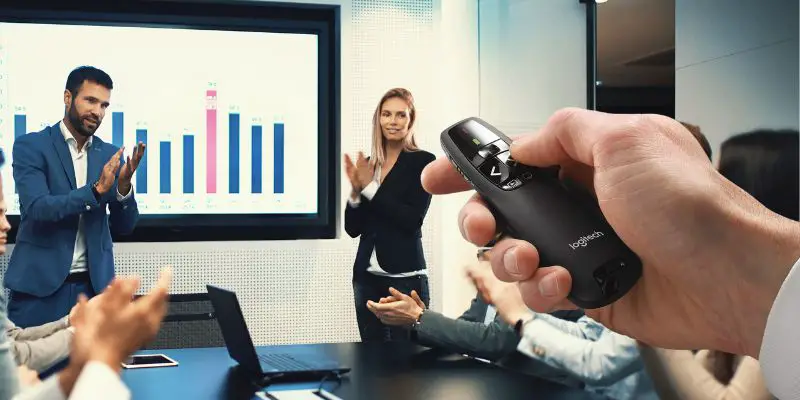
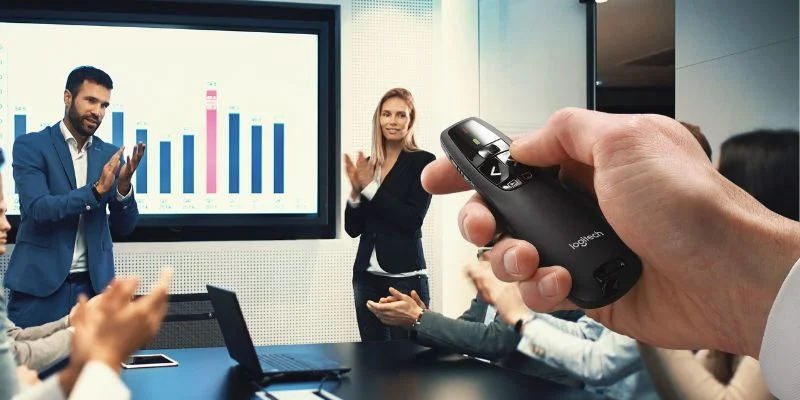
I picked these best presentation remotes by focusing on laptop support, room size, range, and controls that will not distract you.
Keep the Slides Moving
 I have watched good presentations get awkward because the speaker had to walk back to a laptop. A presenter remote should make slide changes disappear.
For this refresh, I focused on what matters in a real room: laptop support, wireless range, button feel, pointer needs, battery setup, and simple controls under pressure.
The best presentation remotes are not all trying to solve the same problem. A teacher, sales rep, trainer, and conference speaker may need very different controls.
That market is still growing. Research Nester projects the presentation software market could cross $27.07 billion by 2035.
Best Presentation Remotes Comparison Table
The following table highlights the key features of the best presentation remotes side by side for my top picks.
| Feature | Best Overall | Best OS Support | Most Advanced | Most Compact | Best Budget |
|---|---|---|---|---|---|
| Product | Logitech R400 | Kensington Expert | Logitech Spotlight | DinoFire FingerRing | DinoFire Wireless |
| Product Image |

|

|

|
|

|
| Rank | 1 | 2 | 3 | 4 | 5 |
| Best If | Reliable plug-and-play control | Mac and Windows rooms | On-screen highlighting | Hands-light presenting | Budget feature control |
| Rechargeable | |||||
| Operating Systems | Windows Vista, 7, 8, 10 or later | Windows 10, 8.1, 8, 7; Mac OS X | Windows and Mac OS | Mac, Windows, USB laptops | Windows, Mac, Linux, Android |
| USB Stored | |||||
| Max Range | 50 feet | 150 feet | 100 feet | Check listing | Check listing |
| Connectivity | Radio Frequency (RF) | 2.4 GHz wireless | Bluetooth or USB receiver | 2.4 GHz USB receiver | 2.4 GHz USB receiver |
| Battery | 2 AA | 2 AAA | Lithium polymer | Built-in rechargeable | AAA |
| Size / Weight | 1.49 x 4.55 x 1.08 in; 2.01 oz | 5 x 7 x 3 in; 6.4 oz | 0.48 x 1.11 x 5.17 in; 1.74 oz | Finger-ring body; check listing | Pen-style body; check listing |
| Special Feature | Laser pointer plus USB dock | Joystick cursor control | Digital highlight and timer | Wearable ring control | Hyperlink and volume controls |
| Check First | Smaller buttons; 50-foot range | Joystick can feel cumbersome | Logitech app setup required | Quality control complaints | Button combos take practice |
| Check price | Check price | Check price | Check price | Check price | Check price |
#1 – Logitech R400: Best Overall
Best fitChoose this if you want a dead-simple presenter remote with a USB receiver, red laser, and very little setup friction.
Specs
- Compatibility: Windows Vista, 7, 8, 10 or later
- Range: 50 feet
- Connection: 2.4 GHz USB receiver
- Power: 2 AA batteries
- Pointer: Red laser
Logitech R400 is still the easiest pick to understand in this best presentation remotes list: plug in the USB receiver, hold a familiar remote, and move through slides without software drama.
The tradeoff is range. Fifty feet is enough for classrooms, conference rooms, and smaller stages, but speakers who roam a large ballroom should look higher on range before buying.
Pros
- Very easy plug-and-play setup
- Comfortable shape with simple buttons
- USB receiver stores inside the remote
Cons
- Only rated for 50 feet
- Buttons may feel small
- No timer or screen
#2 – Kensington Expert: Best OS Support
Best fitChoose this if you present from both Mac and Windows machines and want cursor control built into the remote.
Specs
- Compatibility: Windows 10, 8.1, 8, 7; Mac OS X
- Range: 150 feet
- Connection: 2.4 GHz wireless
- Power: 2 AAA batteries
- Pointer: Red laser
Kensington Expert makes the most sense when one room might see a MacBook one day and a Windows laptop the next. The 150-foot range is the real advantage over basic classroom clickers.
The built-in joystick is useful for cursor work, but it is also the part I would test first. If you only advance slides, that extra control may feel like more remote than you need.
Pros
- Works with Mac and Windows
- Long 150-foot range
- Joystick adds cursor control
Cons
- Joystick takes practice
- USB-A receiver may need adapter
- Bulkier than pen-style remotes
#3 – Logitech Spotlight: Most Advanced
Best fitChoose this if you want digital highlighting, timer alerts, and a more polished tool for high-stakes presentations.
Specs
- Compatibility: Windows and Mac OS
- Range: 100 feet
- Connection: Bluetooth or USB receiver
- Power: Rechargeable lithium polymer
- Pointer: Digital spotlight
Logitech Spotlight is the advanced option when a red laser is not enough. It can highlight, magnify, and control on-screen elements in a way basic presenter remotes cannot.
That extra polish comes with extra setup. For the best presentation remotes buyer who presents often, the app and rechargeable battery can be worth it; for occasional use, the R400 is simpler.
Pros
- Digital highlight and magnify tools
- Bluetooth or USB receiver connection
- Rechargeable battery with timer alerts
Cons
- Requires Logitech software setup
- Pricier than basic clickers
- No traditional laser pointer
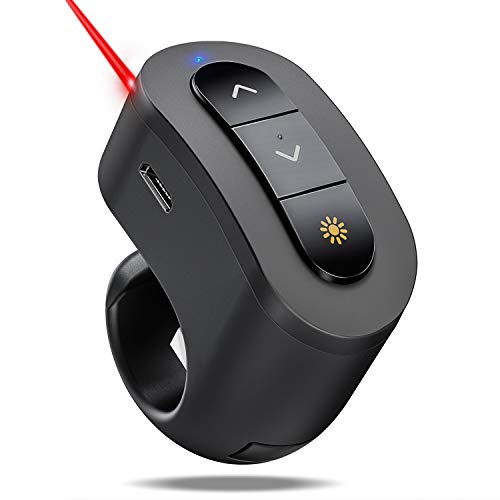
#4 – DinoFire FingerRing: Most Compact
Best fitChoose this if you want a tiny ring-style clicker that keeps your hand mostly free while you move around.

Specs
- Compatibility: Mac, Windows, USB laptops
- Range: Check listing
- Connection: 2.4 GHz USB receiver
- Power: Built-in rechargeable battery
- Pointer: Red laser
DinoFire FingerRing is a niche pick, but the niche is real. If you hate holding a wand-style remote, the ring design keeps basic slide controls close without filling your hand.
It belongs in the best presentation remotes conversation for portability, not power. I would use it for simple slide decks, then choose a larger remote for cursor control or long-range rooms.
Pros
- Tiny wearable design
- Rechargeable internal battery
- USB receiver stores with remote
Cons
- Small buttons need practice
- Quality-control complaints appear often
- Limited advanced controls
- 【FINGER RING PRESENTATION CLICKER】 Finger ring concept is unique and practical, your hand remains relatively free so there's no need to set wireless presenter remote down and misplace it. Rubber loop is adjustable to fit fingers of different size
- 【PLUG & PLAY POWERPOINT CLICKER】 No need to install software, this remote clicker for presentation supports page up, page down, black screen, full screen, super easy to use
#5 – DinoFire Wireless: Best Budget
Best fitChoose this if you want a budget presenter remote with more controls than the simplest next-slide clickers.
Specs
- Compatibility: Windows, Mac, Linux, Android
- Range: Check listing
- Connection: 2.4 GHz USB receiver
- Power: AAA battery
- Pointer: Red laser
DinoFire Wireless is the budget pick for buyers who still want more than next and back. The slim body keeps it portable, and the extra controls help with links or volume.
The catch is memorability. Short presses, long presses, and button combinations are useful only if you practice before presenting, especially when nerves are already doing enough work.
Pros
- Budget-friendly feature set
- Slim pen-style body
- Supports hyperlink and volume controls
Cons
- Button combos take practice
- Reliability complaints are common
- AAA battery is not rechargeable
#6 – Kensington Wireless: Most User-Friendly
Best fitChoose this if you want a very simple remote and do not need a laser pointer at all.

Specs
- Compatibility: Windows, Mac OS X, Chrome OS
- Range: 30 to 65 feet
- Connection: USB receiver
- Power: 2 AAA batteries
- Pointer: None
Kensington Wireless is the calmest choice here. Four controls cover the basics, and that simplicity is the whole point if you do not want cursor modes or hidden button combinations.
It is not trying to win every best presentation remotes feature fight. It is better for classrooms, offices, and training rooms where simple slide control matters more than lasers or digital effects.
Pros
- Very simple four-button layout
- Compact receiver and remote
- Good fit for laser-free rooms
Cons
- No laser pointer
- Shorter practical range
- Newer models may omit receiver storage
#7 – Logitech R800 Pro: Best Screen
Best fitChoose this if timing, signal alerts, and a built-in screen matter more than having the cheapest clicker.

Specs
- Compatibility: Windows Vista, 7, 8, 10 or later
- Range: 100 feet
- Connection: 2.4 GHz USB receiver
- Power: 2 AAA batteries
- Pointer: Green laser
Logitech R800 Pro is for speakers who care about timing as much as slide control. The screen, range alerts, and timer make it easier to stay aware without staring at a laptop.
Among the best presentation remotes here, it is the most useful for longer talks. The downside is upkeep: battery life and reliability reports are worth checking before you rely on it professionally.
Pros
- Built-in screen and timer
- Silent vibration alerts
- Strong 100-foot range
Cons
- Uses batteries quickly
- Buttons can feel small
- Reliability complaints are worth checking
How to Choose the Best Presentation Remotes
The right presenter remote should match the room, laptop, and way you speak, not just the longest feature list.
What I Look For When I Buy
Before I buy or recommend the best presentation remotes, I check the points below first.
- ✓Room size and range. A 50-foot clicker can be perfect in a classroom, while a training room or stage may need 100 feet or more.
- ✓Laptop and software fit. Check Mac, Windows, USB-C adapters, PowerPoint, Keynote, and Google Slides before assuming any remote will behave.
- ✓Controls under pressure. Simple next-and-back buttons beat clever modes if you will be nervous, moving around, or presenting without a rehearsal.
- ✓Power and backup plan. Rechargeable remotes are convenient, but AA or AAA batteries are easier to rescue five minutes before a meeting.
FAQs
These answers cover range, compatibility, batteries, and the controls that matter most in real presentation rooms.
1. What are the best presentation remotes for most people?
Most people should start with a reliable USB receiver remote, simple next and back buttons, and enough range for the room. A laser pointer is useful, but dependable slide movement matters more. If you present often, step up to timer alerts, stronger range, or digital highlighting after the basics are covered. Use that filter to.
2. Do the best presentation remotes work with Mac and Windows?
Many do, but compatibility is not automatic. Check the listing for Mac, Windows, PowerPoint, Keynote, Google Slides, and the exact port your laptop uses. USB-A receivers may need a USB-C adapter. Bluetooth models can reduce dongle clutter, but they may need software setup before your talk. after setup. Use that filter to avoid.
3. How much range should the best presentation remotes have?
For a classroom, office, or small conference room, 50 feet can be enough. Larger training rooms and stages are safer with 100 feet or more. Range also depends on obstacles, receiver placement, and wireless interference, so leave room above your minimum instead of buying exactly at the limit. Use that filter to avoid a bloated.
4. Are rechargeable best presentation remotes better than battery models?
Rechargeable models are convenient if you remember to charge them, and they often pair with slimmer premium designs. Battery models are easier to rescue because AA or AAA spares are cheap and common. I would choose rechargeable for frequent planned talks, but batteries for shared rooms and emergency backups. Use that filter to avoid a.
5. Which best presentation remotes are easiest for beginners?
Beginners should avoid remotes with too many hidden button combinations. Look for clear next, back, blank screen, and laser controls that your thumb can find without looking down. The easier remote is usually the one you can practice once, trust quickly, and forget about while speaking. Use that filter to avoid a bloated shortlist and.
The Verdict on Best Presentation Remotes
The best presentation remotes should disappear once you start speaking, which is why I would start with reliability before chasing advanced tricks.
- Choose Logitech R400 if you want the safest plug-and-play pick for everyday slide control.
- Choose Kensington Expert if you need longer range and Mac or Windows flexibility.
- Choose Logitech Spotlight if you present often enough to use digital highlighting and timer alerts.

Please subscribe for a fun take on tech—tips, unboxings, reviews & more!