As an Amazon Associate, I earn from qualifying purchases.
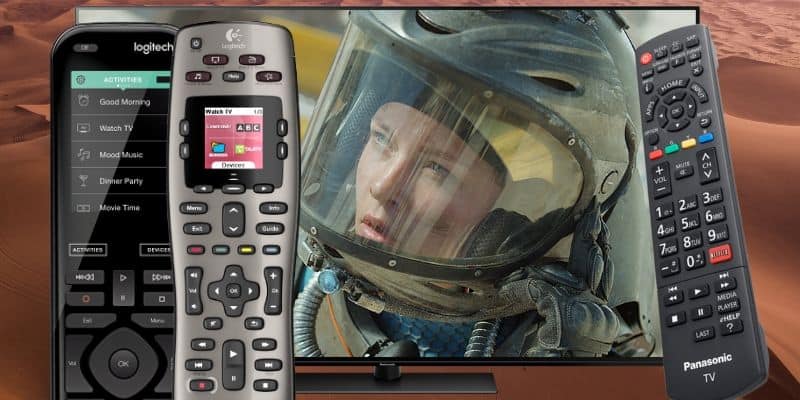
The best remotes for Panasonic TVs should make the whole TV room easier, whether you need a replacement or a full-room controller.
Panasonic Platinum
 Whenever I think about Panasonic, I still hear that old “Panasonic Platinum” jingle in my head. Panasonic has always had a bit of swagger.
The remote problem is less glamorous. The best remotes for Panasonic TVs let you control more than just your TV — streamers, soundbars, gaming controllers, and more.
Grand View Research notes that smart remote demand is tied to convenience, and Panasonic rooms are exactly where convenience needs to mean fewer remotes.
Let’s get you a better remote!
Key Takeaways
- SofaBaton X2 is the premium full-room controller for a Panasonic setup with several connected devices.
- SofaBaton U3 adds LCD-guided button control without an X-series hub.
- Fire TV Cube, SofaBaton X1S, and BroadLink RM4 Pro cover hands-free voice, proven hub control, and app-based automation.
Best Remotes For Panasonic TVs Comparison Table
The following table compares my five best remotes for Panasonic TVs side by side.
| Editor’s Choice | LCD Universal | Best Voice Control | Proven Hub Pick | App Control Hub | |
|---|---|---|---|---|---|
| Product Image |

|

|

|

|

|
| Model | SofaBaton X2 | SofaBaton U3 | Fire TV Cube | SofaBaton X1S | BroadLink RM4 Pro |
| Rank | 1 | 2 | 3 | 4 | 5 |
| Best Fit | Best fitChoose X2 when a busy Panasonic room needs one premium remote. | Best fitChoose U3 for LCD-guided control across compatible Panasonic room devices. | Best fitChoose Fire TV Cube for hands-free Alexa control in compatible Panasonic rooms. | Best fitChoose X1S for premium hub control without paying for a touchscreen. | Best fitChoose RM4 Pro when phone-based automation matters more than physical buttons. |
| Physical Remote | |||||
| Control Style | Touchscreen remote plus hub | Button remote with LCD | Streaming box plus voice remote | OLED remote plus hub | Phone app plus compact hub |
| App Control | |||||
| Voice Control | Alexa, Google, Home Assistant | Compatible Bluetooth devices | Hands-free Alexa | Alexa and Google Assistant | Alexa and Google Assistant |
| Smart Home | |||||
| Display | 2.4-inch color touchscreen | 2.4-inch wake-on-lift LCD | On-screen Fire TV interface | 2-inch OLED screen | Phone app interface |
| Power | Rechargeable with charging dock | 1200mAh USB-C rechargeable | Wall power plus remote batteries | USB-C rechargeable | 5V USB-powered hub |
| Check Price | Check Price | Check Price | Check Price | Check Price | Check Price |
SofaBaton X2
SofaBaton U3
Fire TV Cube
SofaBaton X1S
BroadLink RM4 Pro
#1 – SofaBaton X2: Premium Touchscreen
Best Fit Choose X2 when a busy Panasonic room needs one premium remote.
SofaBaton X2 is the closest Harmony replacement I have tested because it finally pairs premium hardware with dependable daily Activities. Its touchscreen, hub, charging dock, and broad device support make it the strongest upgrade for a Panasonic room with several connected devices.
Among the best remotes for Panasonic TVs, the X2 is the premium pick for controlling the TV, streamer, soundbar, receiver, and compatible smart-home gear together. The app is better than earlier SofaBaton versions, but a complex room still needs patience with power commands, delays, and input tuning.
Pros
- Premium aluminum body feels substantial
- Charging dock gives the remote a home
- Activities simplify multi-device Panasonic rooms
- Touchscreen is smoother than earlier models
- Controls modern and older infrared devices
Cons
- App still trails Harmony polish
- Complex rooms need setup patience
- Overkill for simple TV-only setups
#2 – SofaBaton U3: LCD Universal
Best Fit Choose U3 for LCD-guided control across compatible Panasonic room devices.
SofaBaton U3 takes over the button-style slot with a 2.4-inch wake-on-lift LCD, backlit controls, a 1200mAh rechargeable battery, and USB-C charging. It is a substantial upgrade over the discontinued U2 without stepping up to an X-series hub.
For a Panasonic TV plus a compatible soundbar, streamer, receiver, or projector, the U3 supports IR, Bluetooth, learnable 433/315 MHz RF, macros, and up to three active Bluetooth devices. Google voice and Air Mouse require compatible Bluetooth devices, and the U3 has no Wi-Fi hub.
Pros
- 2.4-inch LCD keeps device control visible
- USB-C battery replaces disposable cells
- Backlit controls suit darker TV rooms
- IR, Bluetooth, and RF broaden compatibility
- Macros can combine common viewing commands
Cons
- No Wi-Fi or Harmony-style hub
- Voice requires compatible Bluetooth devices
- Hidden IR gear may need the optional R1
#3 – Fire TV Cube: Best Voice Control
Best Fit Choose Fire TV Cube for hands-free Alexa control in compatible Panasonic rooms.
Fire TV Cube is not a traditional universal remote, but it is the best voice-control choice for a compatible Panasonic room. Hands-free Alexa can launch content, control playback, switch inputs, adjust volume, and operate supported TVs, soundbars, and receivers from across the room.
It earns a place among the best remotes for Panasonic TVs when Fire TV already drives most of the room. I still keep a physical remote nearby, but voice control is genuinely useful for the commands you repeat every day.
Pros
- Hands-free Alexa works across the room
- Controls compatible TVs and audio gear
- Fast 4K streaming with Wi-Fi 6E
- Voice reduces routine button presses
- Physical remote remains available
Cons
- Amazon ecosystem comes first
- Not a conventional universal remote
- Compatibility varies by connected device
#4 – SofaBaton X1S: Proven Hub Pick
Best Fit Choose X1S for premium hub control without paying for a touchscreen.
SofaBaton X1S remains a dependable hub remote for a Panasonic room that has grown beyond one TV. It can control the television, soundbar, receiver, streaming box, and compatible smart devices from one activity-based remote.
The X1S now sits below the X2 among the best remotes for Panasonic TVs, but it still makes sense when you want broad hub control without paying for a color touchscreen. Setup takes patience, especially when power states and input switching need fine-tuning.
Pros
- Controls large home theater stacks well
- Activities reduce daily input switching
- Hub reaches gear inside closed cabinets
- Voice assistants add useful flexibility
- Rechargeable remote avoids disposable batteries
Cons
- Setup requires careful first-night patience
- OLED screen is smaller than X2’s touchscreen
- May be overkill for simple rooms
#5 – BroadLink RM4 Pro: App Control Hub
Best Fit Choose RM4 Pro when phone-based automation matters more than physical buttons.
BroadLink RM4 Pro is the app-control option for Panasonic owners who do not want another handheld remote. It sends multi-direction infrared commands and supports compatible 433MHz fixed-code RF devices through the BroadLink app or a supported voice assistant.
This is one of the best remotes for Panasonic TVs only if phone-based scenes and automation match your habits. The RM4 Pro can replace several IR and RF commands, but it does not include a physical remote for quick volume or input changes.
Pros
- Controls compatible IR and RF devices
- Phone app supports room automation
- Works with Alexa and Google Assistant
- Compact hub stays out of sight
- Cloud IR database covers many device types
Cons
- No physical remote is included
- Requires 2.4GHz Wi-Fi
- RF support is limited to fixed-code devices
FAQs
Here are the quick answers I would check before choosing among the best remotes for Panasonic TVs.
1. What are the best remotes for Panasonic TVs?
The best remotes for Panasonic TVs include button universal remotes, hub remotes, voice-control streamers, and app-control hubs. SofaBaton, Fire TV Cube, and BroadLink picks make the most sense when the Panasonic screen shares a room with streamers, soundbars, receivers, or game consoles. Match the remote to the devices you actually use.
2. Can a universal remote work with a Panasonic Smart TV?
Yes. Most Panasonic TVs can work with a universal remote through infrared codes, HDMI-CEC, a hub, or connected streamer controls. The best remotes for Panasonic TVs match the remote to the room first. A basic IR remote can handle power and volume, while a hub remote is better for hidden devices inside closed cabinets daily.
3. Is a replacement remote better than a phone app?
A replacement remote is usually better for everyday volume, mute, input, and channel control because real buttons are faster than unlocking a phone. Apps are useful as backups, especially for network commands or quick setup changes. For most households, the best answer is keeping a physical remote nearby and using the app only when needed.
4. Should I buy an original-style remote or a universal remote?
Buy an original-style remote if the Panasonic Smart TV is the only device you need to control and you want the fewest setup steps. Buy a universal remote if the room also has a streamer, cable box, soundbar, receiver, or game console. The best remotes for Panasonic TVs are worthwhile when they remove extra clickers.
5. What features matter most in Panasonic remote replacements?
The most useful features are compatibility, reliable power and volume control, clear buttons, simple setup, and support for the other devices in the room. The best remotes for Panasonic TVs add voice control, backlighting, activity buttons, and app setup only when those extras match daily habits. A cheaper remote wins when it solves the problem.
Best Remotes For Panasonic TVs Verdict
The best remotes for Panasonic TVs come down to how much of the room you need to control. Start with the TV, then decide whether your streamer, soundbar, receiver, or cable box should come along for the ride.
- Choose SofaBaton X2 if you want one premium remote for a busier entertainment setup.
- Choose SofaBaton U3 if you want LCD-guided universal control without an X-series hub.
- Choose Fire TV Cube if hands-free Alexa is your main control goal.
For a broader look at room-wide controllers, see my Panasonic remote app options next.

Please subscribe for a fun take on tech—tips, unboxings, reviews & more!