As an Amazon Associate, I earn from qualifying purchases.
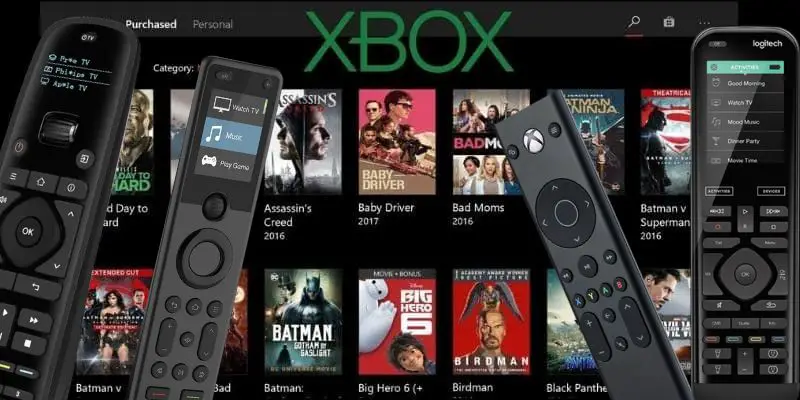
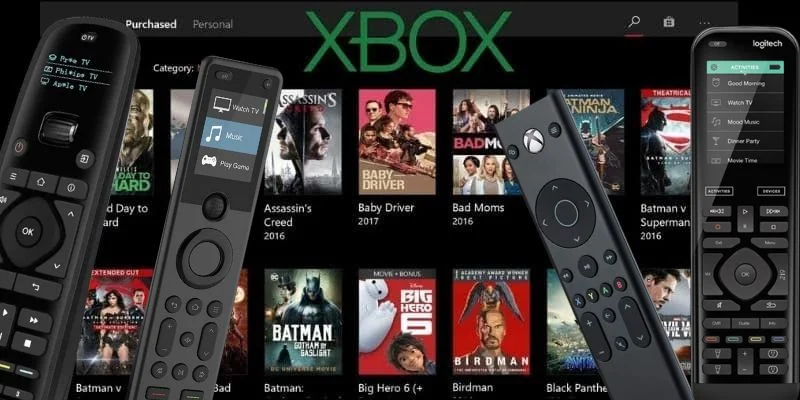
The best remotes for Xbox should make streaming, movies, and full-room control easier than reaching for a game controller every time.
Xbox Is Not Lame
 A while back I wrote a blog post on the best universal remotes for PS4. Thinking I was a pretty cool dad blogging about a gaming console, I proudly told my son, an avid gamer, about the post.
My son Casey’s response was: “PS4 is lame. You should do one on Xbox.”
LOL.
Well, my dear son, this one’s for you. I hope you do not find it too lame.
The practical Xbox picks today come down to three things: a universal remote for full-room setups, an Xbox-specific media remote for app navigation, or the free Xbox app as a backup.

Key Takeaways
- SofaBaton X2 is the premium universal choice when Xbox shares the room with a TV, soundbar, receiver, streamer, and hidden gear.
- PDP Universal Gaming Media TV Remote Control is the cleanest Xbox-specific remote for streaming apps and simple console media control.
- Xbox App stays as a free backup note, while obsolete keyboard and off-brand Xbox One options are removed from the counted remote list.
Best Remotes For Xbox Comparison Table
This comparison table focuses on the five strongest universal and streaming hardware choices among the best remotes for Xbox. The Xbox App and Harmony Elite are covered as special-use picks below the table.
| Premium Hub | Value Hub | Xbox Media | Button Universal | IR Universal | |
|---|---|---|---|---|---|

|

|

|

|

|
|
| Product | SofaBaton X2 | SofaBaton X1S | PDP Universal Gaming Media TV Remote Control | SofaBaton U3 | Inteset 4-in-1 |
| Rank | 1 | 2 | 3 | 4 | 5 |
| Role | Premium universal hub | Value hub | Xbox media remote | Button universal | IR button remote |
| Best For | Serious Xbox room | Hub control for less | Console streaming | Compatible Xbox entertainment rooms | IR-heavy setups |
| Xbox Fit | Whole-room activities | Xbox plus other gear | Xbox Series X/S and Xbox One | TV/audio gear; console support varies | Xbox and streamers |
| Control Type | IR, Bluetooth, Wi-Fi, hub | IR, Bluetooth, Wi-Fi, hub | Console media remote | IR, Bluetooth, RF learning | IR learning remote |
| Voice / Smart Home | Alexa, Google, Home Assistant | Alexa and Google | None | Google voice on compatible Bluetooth | None |
| Screen / Display | Touchscreen | Small display | No screen | 2.4-inch LCD | No screen |
| Setup Load | Highest | Medium | Low | Medium; verify Xbox profile | Medium |
| Check Price | Check Price | Check Price | Check Price | Check Price |
#1 – SofaBaton X2: Premium Hub
At a Glance
- Compatibility: IR, Bluetooth, Wi-Fi, and hub-based control.
- Power/Battery: Charging cradle with USB-C backup charging.
- Voice/Smart Home: Works with Alexa, Google, and Home Assistant.
- Screen/Display: Touchscreen for activities and device control.
- Use Case: Best for Xbox rooms with several devices.
The SofaBaton X2 belongs at the top if your Xbox is part of a real home theater instead of a single console under the TV. Among the best remotes for Xbox, it is the premium pick when the room also has a soundbar, receiver, streamer, Blu-ray player, projector, or gear hidden behind a cabinet door.
I would not buy the X2 just to pause Netflix on one console. The point is activities: press one control path for Xbox night, have the room switch inputs, control audio, and stop passing three remotes around the couch.
Pros
- Touchscreen makes switching between devices easier.
- Hub control helps with hidden gear.
- Smart home support beats basic media remotes.
Cons
- Overbuilt for simple one-console media setups.
- Setup takes patience with complex rooms.
Touchscreen hub remote for a full home-theater setup.
#2 – SofaBaton X1S: Value Hub
At a Glance
- Compatibility: IR, Bluetooth, Wi-Fi, and hub-based control.
- Power/Battery: USB-C rechargeable remote.
- Voice/Smart Home: Works with Alexa and Google.
- Screen/Display: Small display with scroll-wheel navigation.
- Use Case: Best for hub control below the X2 tier.
The SofaBaton X1S was the old #1, and it still has a real place here. Among the best remotes for Xbox, it is the value hub lane because it brings hub-based activity control without stepping all the way into the newer X2 price and touchscreen tier.
The X1S makes sense when you want your Xbox, TV, soundbar, and streamer tied together in one remote. It is less slick than the X2, but it still solves the problem the controller never solved: one room, one remote, fewer little black plastic things hiding in the couch.
Pros
- Hub control fits busy Xbox rooms.
- Rechargeable design avoids frequent battery chasing.
- Good middle ground below the X2.
Cons
- Display is not a real touchscreen.
- Setup still takes some patient tinkering.
SofaBaton X1S offers similar core functionality to the X2, minus the touchscreen, at a lower price.
#3 – PDP Universal Gaming Media TV Remote Control: Xbox
At a Glance
- Compatibility: Xbox Series X/S and Xbox One media control.
- Power/Battery: Replaceable batteries.
- Voice/Smart Home: No voice or smart home control.
- Screen/Display: No screen.
- Use Case: Best for console-first streaming control.
The PDP Universal Gaming Media TV Remote Control is the simple Xbox streaming answer. Among the best remotes for Xbox, this is the one I would point to first if you mostly need pause, play, menu, volume, and easier app navigation from the couch.
It will not run the whole room like a SofaBaton hub remote. That is also the reason it works as a cleaner pick for some readers. If the Xbox is the streamer and the TV is the screen, the PDP remote stays focused on media control instead of turning a movie night into a programming project.
Pros
- Built around console media navigation controls.
- Motion backlighting helps in dark rooms.
- Simpler than a full universal setup.
Cons
- Not meant for whole-room universal control.
- Less useful outside regular Xbox viewing.
#4 – Button-Style Universal: SofaBaton U3

At a Glance
- Compatibility: Compatible room gear through IR, Bluetooth/BLE, and learnable RF; Xbox support varies by model and profile.
- Power: 1200mAh rechargeable battery with USB-C charging; around three weeks per charge.
- Display: 2.4-inch LCD with wake-on-lift.
- Use Case: Room consolidation around Xbox, not a replacement for a game controller.
Overview
The SofaBaton U3 is the current button-style universal remote for an Xbox entertainment setup with a compatible TV, soundbar, receiver, or streaming box. It supports compatible IR and Bluetooth devices, learns compatible 433/315 MHz RF commands, and offers one-touch macros for repeat routines such as powering on the display, selecting an input, and setting volume.
Among the best remotes for Xbox, the U3 works best as the remote that simplifies the room around the console—not as a promise of complete Xbox control. Its 2.4-inch LCD, rechargeable 1200mAh battery, USB-C charging, and support for up to three compatible Bluetooth connections suit households that prefer physical buttons over a hub or touchscreen.
Before recommending it as an Xbox controller replacement, verify the exact console and profile support. Xbox media control can vary by model and pairing method, while the U3’s strongest use case is consolidating compatible TV and audio gear. For Xbox-first streaming and console navigation, a purpose-built Xbox media remote may remain easier.
Pros
- Helps consolidate compatible TV, soundbar, receiver, and streamer control.
- Supports compatible Bluetooth/BLE, IR, and RF learning.
- Rechargeable design with USB-C charging and a 2.4-inch LCD.
- Macros simplify repeat home-theater routines.
Cons
- Xbox media-control compatibility needs model-specific verification.
- Not a substitute for a full Xbox controller in games.
- No Wi-Fi hub for hidden gear or smart-home-heavy rooms.
#5 – Inteset 4-in-1: IR Button Remote
At a Glance
- Compatibility: IR devices including Xbox and popular streamers.
- Power/Battery: Replaceable batteries.
- Voice/Smart Home: No voice or smart home control.
- Screen/Display: No screen.
- Use Case: Best for IR control and hard buttons.
The Inteset 4-in-1 is the button-heavy universal remote I like better than keeping old keyboard picks in this article. Among the best remotes for Xbox, it earns a spot because it is aimed at the exact kind of device pile Xbox streamers often have: Apple TV, Roku, Nvidia Shield, media center gear, receivers, and other IR equipment.
It is not the modern smart-home answer, and that is fine. The Inteset lane is for readers who want a backlit IR remote with learning/macro support and do not need a hub, touchscreen, or app-first setup.
Worth knowing before you buy: Inteset no longer sells this remote on its own, only bundled with its IReTV infrared receiver, which helps if your streamer has no infrared sensor and is redundant if it does.
Pros
- Backlit buttons help with dark-room streaming.
- Good fit for IR device stacks.
- Learning support helps with odd setups.
Cons
- No Bluetooth or Wi-Fi hub control.
- Needs direct line of sight control.
#6 – Xbox App: Free First-Party Backup

At a Glance
- Compatibility: Xbox consoles through the official mobile app.
- Power/Battery: Uses your phone or tablet battery.
- Voice/Smart Home: No whole-room universal control.
- Screen/Display: Phone or tablet touchscreen controls.
- Use Case: Best free backup when remotes disappear.
The Xbox App stays here in this best remotes for Xbox guide because it fills a real lane: free backup control. It is not a hardware replacement or a home-theater controller, but it still belongs as the first-party backup when the physical remote vanishes or you only need basic console navigation from your phone, tablet, or PC.
This is also the cleanest place to answer the app question without pretending it belongs in the hardware comparison table. Download it from the App Store, Google Play, or Microsoft’s Xbox PC app page, then use it for occasional control, quick navigation, and backup duty. Choose one of the hardware choices above when you want guests, kids, or anyone else on the couch to control media without unlocking your phone.
Pros
- Free backup when the remote disappears.
- No extra hardware purchase is required.
- Useful for quick console navigation tasks.
- Official store links simplify setup path.
Cons
- Not a true physical living-room remote.
- Limited for whole-room device control needs.
#7 – Logitech Harmony Elite: Legacy Pick

At a Glance
- Compatibility: Harmony hub ecosystem and many older devices.
- Power/Battery: Rechargeable remote and charging cradle.
- Voice/Smart Home: Works through Harmony hub integrations.
- Screen/Display: Color touchscreen.
- Use Case: Best legacy pick for existing Harmony fans.
I still own a Logitech Harmony Elite, and I still respect what it can do. It can absolutely belong in a serious Xbox room, especially if you already understand Harmony activities and want a touchscreen remote that can launch a “Watch Xbox” style setup.
But it should not be the main recommendation in a current list of the best remotes for Xbox. Harmony hardware is a legacy lane now, so this pick is for existing fans, renewed-device shoppers, and people who knowingly want the old Harmony experience.
Pros
- Still excellent for complex activity control.
- Touchscreen keeps favorite activities easy for families.
- Owned experience gives useful real-world context.
- Hub support works with hidden devices.
Cons
- Discontinued hardware carries real support risk.
- Used pricing can become unreasonable quickly.
- Setup is aging compared with newer hubs.
The discontinued Harmony Elite remains a top-tier remote for smart home and theater control — if you can find one.
FAQs
1. What are the best remotes for Xbox?
Start with SofaBaton X2 for a serious room, X1S for a lower-cost hub, PDP for simple console streaming, U3 for rechargeable button-first control, and Inteset for IR-heavy setups. The Xbox App is the free first-party backup, while Harmony Elite is the legacy pick for readers who knowingly still want Harmony control in an Xbox room.
2. Do I need a universal remote for Xbox Series X or Series S?
No. A controller still works, and the PDP remote is simpler if you only stream from the console. A universal remote becomes useful when the best remotes for Xbox need to control the TV, soundbar, receiver, Blu-ray player, lights, and other devices around the console too, especially in a shared room for family and guests.
3. Is the PDP Xbox remote better than using a controller?
For streaming, yes. The controller works, but a media remote is easier for guests, kids, and late-night watching. Among the best remotes for Xbox, the PDP lane is the most direct answer when you want play, pause, menu, volume, and navigation without waking up a game controller during every show at home or movie night.
4. Should I use the Xbox App as my main remote?
Use the Xbox App as a backup, not the main remote. It belongs in this best remotes for Xbox guide because it is free, official, and handy when the physical remote disappears. It is still phone-first, limited for guests, and not a clean replacement for a hardware remote in daily family-room use or movie night.
5. Should I buy old Xbox One keyboard remotes?
Usually no. Older keyboard remotes, typing bundles, and off-brand Xbox One remotes can look tempting, but many are stale, unavailable, or too narrow for current living rooms. The best remotes for Xbox should be current, supportable, and useful beyond one aging accessory lane, especially when shoppers need reliable replacements now online from trustworthy listings today.
Best Remotes For Xbox Verdict
The best remotes for Xbox depend on whether the console is your whole streaming setup or one device inside a bigger universal-control room.
- Choose SofaBaton X2 if Xbox is part of a serious home theater with a soundbar, receiver, hidden gear, or smart-home control.
- Choose PDP Universal Gaming Media TV Remote Control if you mainly want simple Xbox media buttons for streaming apps.
- Choose SofaBaton X1S, SofaBaton U3, or Inteset 4-in-1 if you want universal control but do not need the full X2 tier.
- Use the Xbox App as a free backup and Harmony Elite only if you knowingly want the legacy Harmony path.
For broader living-room options outside the Xbox lane, see my guide to the best universal remotes.
If you enjoyed this Xbox guide, the next natural lane is the PlayStation side, starting with the PS5 article and then the PS4 article. Those are queued after this Xbox refresh is verified.

Please subscribe for a fun take on tech—tips, unboxings, reviews & more!